
Joining twoerent drawing using control point
20 views
Skip to first unread message

Tousif Shaikh
Dec 17, 2017, 5:38:42 AM12/17/17
to hugin and other free panoramic software
Hi everyone,
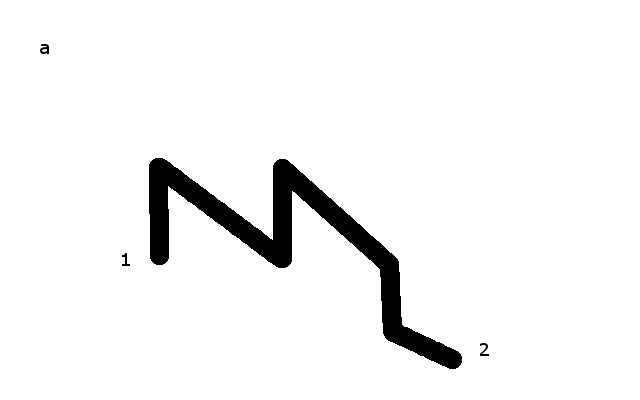
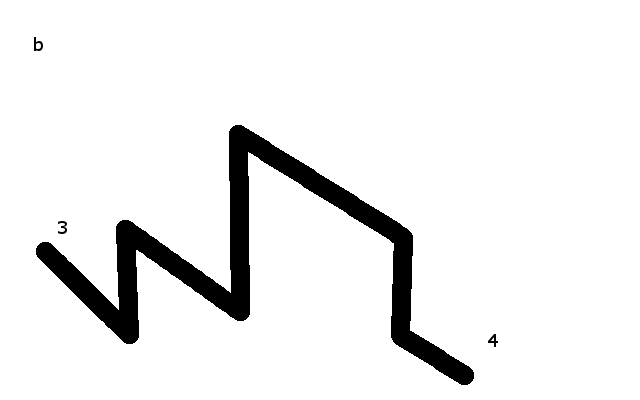
I am trying to join two drawings see the attached photo "a" and "b". the problem is i am not able to set up the control points because the "Line" is at random location in drawing. help me out to attach both photos using hugin. The number at the end of the line shows the connection to the next photo that i am using just for reference creating control points in sequence so that i don't mix up my thousands of drawings.

Terry Duell
Dec 17, 2017, 3:51:32 PM12/17/17
to hugi...@googlegroups.com
Hello Tousif,
On Sun, 17 Dec 2017 19:41:48 +1100, Tousif Shaikh <neoen...@gmail.com>
wrote:
You need some overlap for hugin to do its work.
Cheers,
--
Regards,
Terry Duell
On Sun, 17 Dec 2017 19:41:48 +1100, Tousif Shaikh <neoen...@gmail.com>
wrote:
Cheers,
--
Regards,
Terry Duell
Reply all
Reply to author
Forward
0 new messages