
DOM panel / light colors

Benjamin Andre
Hi,
I found the meaning of the colors, but no explanation on why the colors of dom property value is sometimes "light".
For exemple, you can see here that the property "clientWidth" is light blue, whereas "hidden" is normal blue.
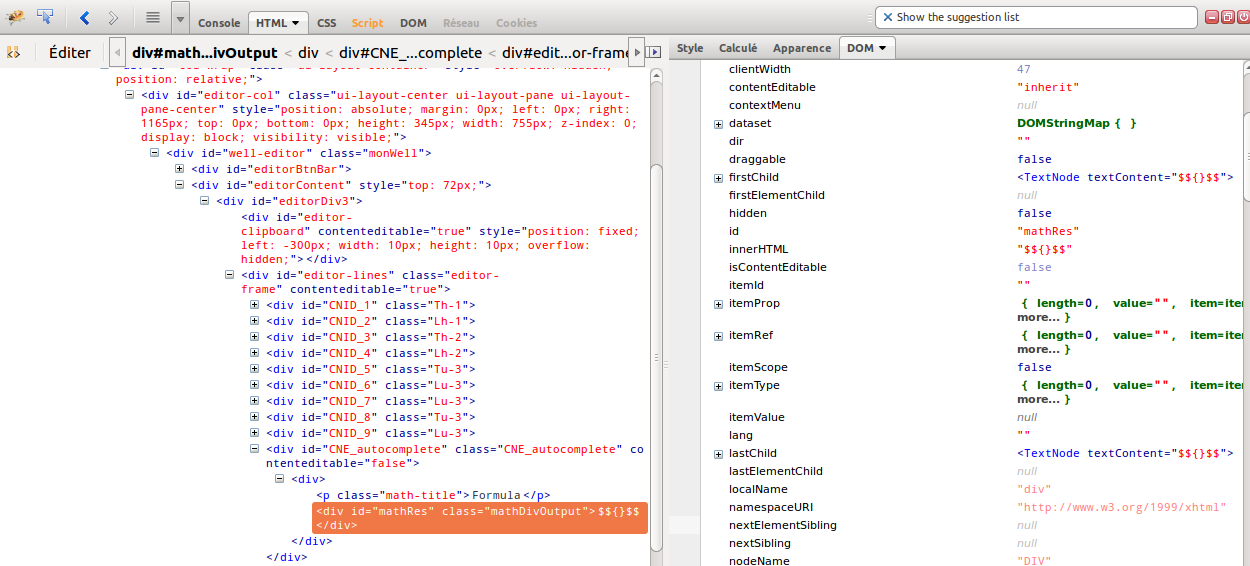
Any idea ?
(this is important, this difference is the only one I found between a case that works and another cas that doesn't work... :-)

Sebastian Zartner
Sebastian
Benjamin Andre
It is then quite difficult to export and html file with the pb :-)
No, realy, I don't understand the meaning of these colors... If all properties were light it might indicates that ... the node is "fresh" ?? (joke)

Simon Lindholm
Benjamin ANDRE
--
You received this message because you are subscribed to a topic in the Google Groups "Firebug" group.
To unsubscribe from this topic, visit https://groups.google.com/d/topic/firebug/86xqlONxY6E/unsubscribe.
To unsubscribe from this group and all its topics, send an email to firebug+u...@googlegroups.com.
To post to this group, send email to fir...@googlegroups.com.
Visit this group at http://groups.google.com/group/firebug.
To view this discussion on the web visit https://groups.google.com/d/msgid/firebug/3f1f8dcf-bbf1-4db1-a088-fdcd83cf074e%40googlegroups.com.
For more options, visit https://groups.google.com/groups/opt_out.
Sebastian Zartner
Simon seems to be right with his assumption that the pale color indicates properties that are read-only. Here are the related code lines:
https://github.com/firebug/firebug/blob/master/extension/content/firebug/dom/domMemberProvider.js#L344
https://github.com/firebug/firebug/blob/master/extension/skin/classic/dom.css#L18
I added a sentence to the DOM panel reflecting that.
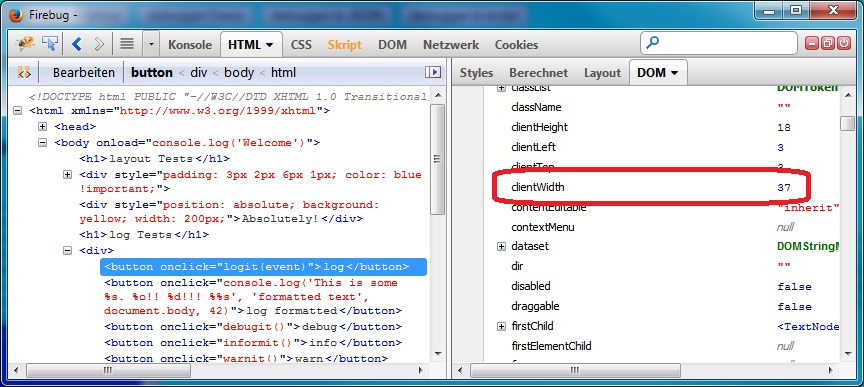
Though I wonder why they are not displayed in pale color for me within the DOM side panel:
Sebastian
Simon Lindholm
Wrapped objects are a technical term, related to privileged JavaScript in Firefox. I suppose you could google "spidermonkey wrappers" to get further information, but to simplify it a wrapper (at least, of this kind) is like a shadow version of a DOM object, that behaves subtly differently, and attempts to make it "nicer" to work with. (It is implicitly converted to a non-wrapper when passed back to non-privileged JavaScript.)
Benjamin ANDRE
well done to both of you !
To view this discussion on the web visit https://groups.google.com/d/msgid/firebug/1be0ae15-db43-42f4-83fd-0da5adacb939%40googlegroups.com.