
Django With Xampp and MySQL - Creating Tables, Models.py not working(Windows)
158 views
Skip to first unread message

zanem...@gmail.com
Apr 27, 2014, 10:25:29 PM4/27/14
to django...@googlegroups.com
I have tried out Django with the development server that comes with it - and I never had any issues. I decided to try it out with xampp as I'll be hosting my web app on a VPS soon. The problem I'm having is that whenever I try to use the syncdb command after creating a table in the models.py file, I get an error:
ImportError - No module named "my table/class name here".
I use python 2.7 in my PATH variable, I have django-admin.py in my xampp root folder, and I have successfully created a project and my first app with django-admin.py. But I can't interact with the database at all.
Models.py:
from django.db import models
# Create your models here.
class messagechat(models.Model):
username = models.CharField(max_length=150)
body = models.CharField(max_length=800)
score = models.DecimalField(max_digits=10)
settings.py:(database section only)
DATABASES = {
'default': {
'ENGINE': 'django.db.backends.mysql',
'NAME': dbnamehere',
'USER': 'userhere',
'PASSWORD': 'pswdhere',
'HOST': 'using local host',
'PORT': 'porthere',
}
Error Message I receive In command Prompt:
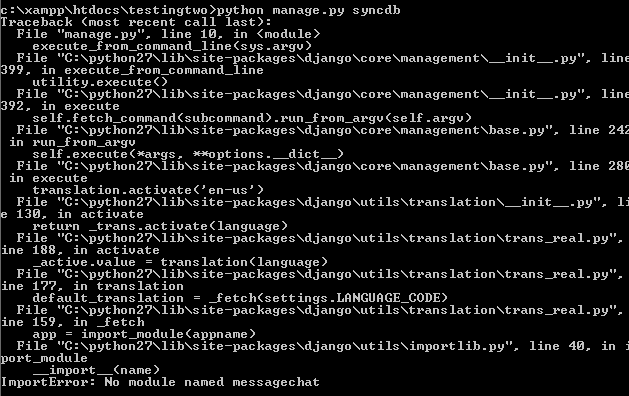
Do I have any chance of figuring out what is wrong here?
Reply all
Reply to author
Forward
0 new messages