
how to change uEnv.txt from U boot interface ?
3,280 views
Skip to first unread message

Yahya ahmed
Sep 13, 2016, 9:02:59 PM9/13/16
to BeagleBoard
Hi all,
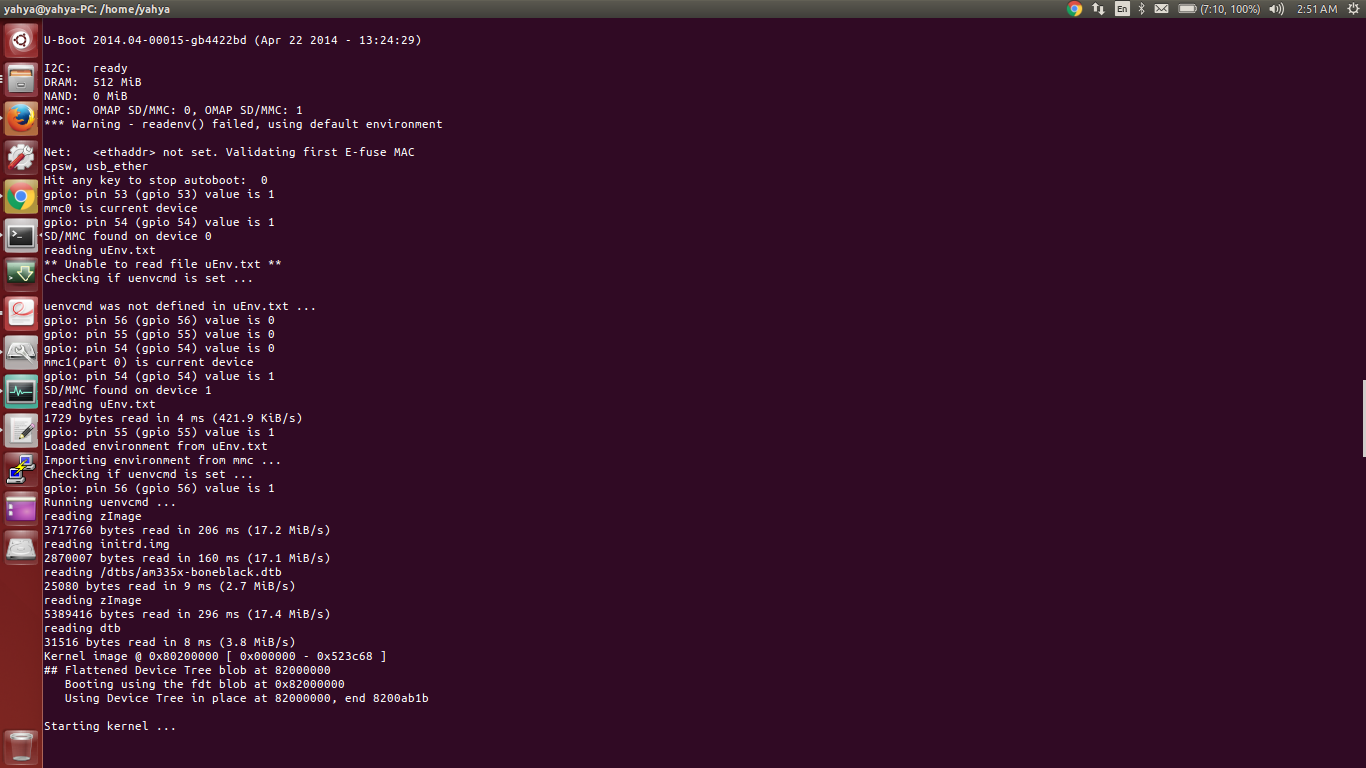
I made some changes on the uEnv.txt file from my computer , then I rebooted my beaglebone.
Now it starts the u-boot and writes "starting kernel" and it just hangs.
My system(ubuntu) can't see the beaglebone anymore when I connect it using USB, so I can't re-edit my uEnv.txt
So, is there anyway I can undo my edits on uEnv.txt ?? Can I do it from the U-Boot interface ?

William Hermans
Sep 14, 2016, 1:27:51 AM9/14/16
to beagl...@googlegroups.com
Fist, you would get an sdcard, and flash an image to it. http://elinux.org/Beagleboard:BeagleBoneBlack_Debian#microSD.2FStandalone:_.28console.29_.28BeagleBone.2FBeagleBone_Black.2FBeagleBone_Green.29
Once you have that image on an sdcard, you boot as normal- with the sdcard inserted of course. Then:#1
login as: root
Debian GNU/Linux 8
BeagleBoard.org Debian Image 2016-06-19
Support/FAQ: http://elinux.org/Beagleboard:BeagleBoneBlack_Debian
default username:password is [debian:temppwd]
#2
root@beaglebone:~# lsblk
NAME MAJ:MIN RM SIZE RO TYPE MOUNTPOINT
mmcblk0boot0 179:8 0 2M 1 disk
mmcblk0boot1 179:16 0 2M 1 disk
mmcblk0 179:0 0 3.7G 0 disk
`-mmcblk0p1 179:1 0 3.7G 0 part /
#3
root@beaglebone:~# mkdir /media/rootfs
#4
root@beaglebone:~# mount /dev/mmcblk0p1 /media/rootfs/
#5
root@beaglebone:~# cd /media/rootfs/
#6
root@beaglebone:/media/rootfs# nano boot/uEnv.txt
undo the changes you made. If you can not remember the changes you've made, it may be easier to just reflash the eMMC.
--
For more options, visit http://beagleboard.org/discuss
---
You received this message because you are subscribed to the Google Groups "BeagleBoard" group.
To unsubscribe from this group and stop receiving emails from it, send an email to beagleboard+unsubscribe@googlegroups.com.
To view this discussion on the web visit https://groups.google.com/d/msgid/beagleboard/28648227-fba7-407a-af9c-10b8f2477692%40googlegroups.com.
For more options, visit https://groups.google.com/d/optout.

zdenko...@gmail.com
May 6, 2020, 9:23:24 AM5/6/20
to BeagleBoard
Hi Ahmed,
I write a bit later but it can help someone else.
If you have a backup of uEnv.txt - so than it is quick and simple.
First copy file content to RAM memory:
ext4load mmc 1 0x80000000 /boot/uEnv.txt_bck
Write content of file to new file:
ext4write mmc 1 0x80000000 /boot/uEnv.txt 2042 0
mmc 1 - it is my rootfs partition. Use the command mmc list to see the partition.

John Allwine
May 6, 2020, 9:44:17 AM5/6/20
to beagl...@googlegroups.com
This is how I did it using a microSD card: https://groups.google.com/forum/m/#!category-topic/beagleboard/b21LZKh8z2w
John Allwine
Principal Software Engineer
On May 6, 2020, at 7:23 AM, zdenko...@gmail.com wrote:
--
For more options, visit http://beagleboard.org/discuss
---
You received this message because you are subscribed to the Google Groups "BeagleBoard" group.
To unsubscribe from this group and stop receiving emails from it, send an email to beagleboard...@googlegroups.com.
To view this discussion on the web visit https://groups.google.com/d/msgid/beagleboard/ce8683ff-d37a-4b71-b422-6c57e7fe57eb%40googlegroups.com.
Reply all
Reply to author
Forward
0 new messages