
Why UPDATE function works on Fusion Tables only if I write rowid manually?
88 views
Skip to first unread message

AlexxandroP
Feb 8, 2015, 1:18:26 PM2/8/15
to
I finally completed my app working with Fusion Tables, but if I use a global variable to set ROWID it doesn't works!!! If I write manually ROWID in the blocks It works!
Do You know how can I fix the problem?
Thanks!!


Abraham Getzler
Feb 8, 2015, 11:01:42 PM2/8/15
to mitappinv...@googlegroups.com
It might be informative for you to right-click-DoIt on the
JOIN and the GET GLOBAL ROWID block in it.4
ABG
Abraham Getzler
Feb 8, 2015, 11:04:19 PM2/8/15
to mitappinv...@googlegroups.com
I see now.
You shouldn't call your aggiorno procedure until the rowid has arrived.
Move the call to the GotResult block where the global receives its value.
ABG

Taifun
Feb 9, 2015, 10:55:58 AM2/9/15
to mitappinv...@googlegroups.com
as ABG said, and if you check the result from the fusiontable, you will realize, that you will get a result like this
rowid
103
which means, you first have to extract the rowid (in the example 103) and then continue with the update statement
to extract the rowid, just use the split block and split at \n (new line) to get a 2 items list, then select the 2nd item, which is the rowid
Taifun
Trying to push the limits of App Inventor!
Snippets and
Tutorials from
Pura Vida Apps by
 Taifun.
AlexxandroP
Feb 10, 2015, 12:28:23 PM2/10/15
to mitappinv...@googlegroups.com
Ok, error is only this. When I find ROWID, the variable contains "rowid xxxx". How can I delete the first part and use only the number?

Enis
Feb 10, 2015, 12:55:55 PM2/10/15
to
Use the segment block from the text drawer. You know it'll say rowid and a space, then the number, so start your segment at 7 and go to the end (length of the string - 7).
____________________________________________________________________

For my App Inventor Tips, visit TwoDogApps.com by clicking here!
Abraham Getzler
Feb 10, 2015, 1:10:02 PM2/10/15
to
Taifun's idea is more robust.
It protects you against counting errors
and from having to figure the length of the rowid string.
ABG
Taifun
Feb 10, 2015, 1:16:57 PM2/10/15
to mitappinv...@googlegroups.com
you might want to READ again my previous answer in this thread...
Taifun
Taifun
Feb 10, 2015, 1:17:49 PM2/10/15
to
@Enis: it is something like this rowid\n103 ...
Taifun
AlexxandroP
Feb 10, 2015, 1:51:01 PM2/10/15
to mitappinv...@googlegroups.com
Have I to set \n in the variable settings?
Abraham Getzler
Feb 10, 2015, 2:00:55 PM2/10/15
to mitappinv...@googlegroups.com
On second thought, I did not factor in
the '\n' learning curve in my robustness estimate.
...Waiting to see how this pans out.
ABG
AlexxandroP
Feb 10, 2015, 5:39:26 PM2/10/15
to mitappinv...@googlegroups.com
Ok, It works at 99%. Finally i have the ROWID in the "global rowid". When have I to call update procedure?
Taifun
Feb 10, 2015, 5:46:12 PM2/10/15
to mitappinv...@googlegroups.com
what about doing the update after you received the rowid?
Taifun
AlexxandroP
Feb 10, 2015, 5:51:51 PM2/10/15
to mitappinv...@googlegroups.com

Taifun
Feb 10, 2015, 5:56:38 PM2/10/15
to mitappinv...@googlegroups.com
see screenshot
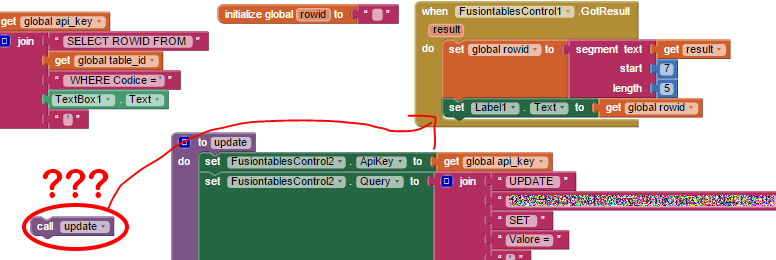
and: I would use a global variable to indicate, what kind of action you are executing
before selecting the rowid, set that variable to "select" and before doing the update set that variable to "update"
then you can check in the FusiontablesControl.GotResult event, which action you are executing (if-then-else statement)...
if action = select
then get the rowid and call the update procedure
else do something else
Taifun
AlexxandroP
Feb 10, 2015, 5:59:23 PM2/10/15
to mitappinv...@googlegroups.com
I tried yet and now. It doesn't work. Now I'm trying to generate apk.
Taifun
Feb 10, 2015, 6:04:18 PM2/10/15
to mitappinv...@googlegroups.com
I just have seen, you are using a second fusiontable controls component, which means, you do not need my action variable...
check your update statement...this probably can help
 Fusiontables and how to fix them
Taifun
AlexxandroP
Feb 10, 2015, 6:07:42 PM2/10/15
to mitappinv...@googlegroups.com
Now I try with one FusionTablesControl. The 2nd was only an experiment.
I HOPE IT WORKS!!
Taifun
Feb 10, 2015, 6:47:32 PM2/10/15
to mitappinv...@googlegroups.com
If you are asking for help, I recommend you to make it as easy for others to be able to help you ...
which means in your case post a screenshot of your relevant blocks...
You probably will get more feedback then...
To download the aia file, upload it to App Inventor, open it, do some bug hunting for you, etc... this takes time, and most people will not do that...
Thank you.
AlexxandroP
Feb 10, 2015, 6:52:19 PM2/10/15
to mitappinv...@googlegroups.com
Ok, You have a screenshot of my blocks and this is a screenshot of results.
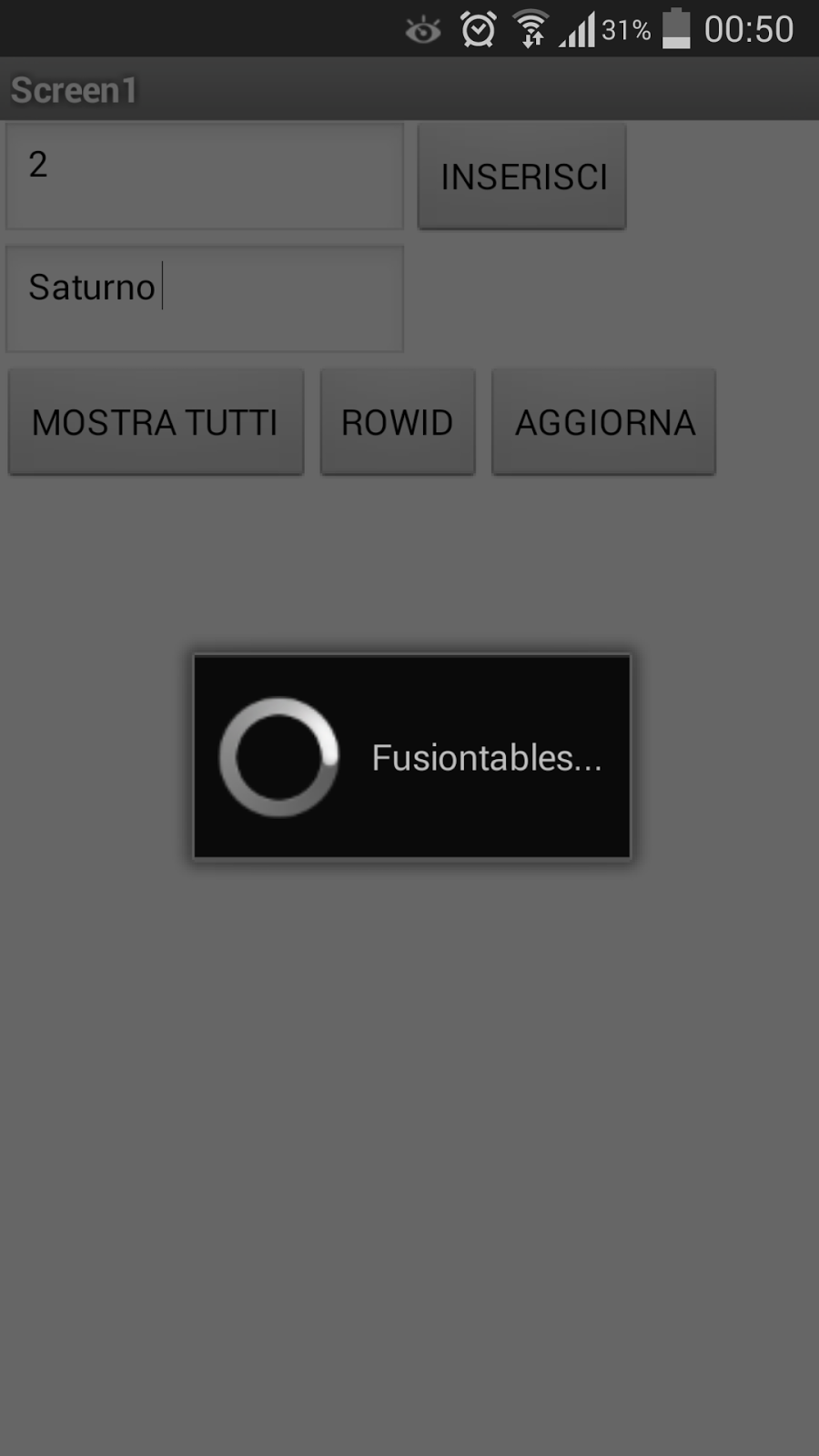
And It goes around and around and around...
Taifun
Feb 10, 2015, 6:56:39 PM2/10/15
to
I can't see a screenshot of your current blocks?
you said, you removed the 2nd fusiontable controls component
in this case you should read this again else you will get an endless loop...
AlexxandroP
Feb 10, 2015, 7:04:16 PM2/10/15
to mitappinv...@googlegroups.com

Taifun
Feb 10, 2015, 8:59:27 PM2/10/15
to mitappinv...@googlegroups.com
oh yeah...unfortunately you did not follow any recommendations...I only can recommend you to restart from the beginning...
For UPDATE statements the first step to be done is to get the ROWID of the row to be updated with a SELECT statement.
The second step is to do the UPDATE.
see also How to INSERT, DELETE and SELECT a Fusiontable by  Viktor
ViktorTaifun
Abraham Getzler
Feb 10, 2015, 10:45:59 PM2/10/15
to mitappinv...@googlegroups.com
There's no reason to restrict yourself to just one Fusion Tables (FT) control, right?
Imagine you had a factory assembly line with dumb workers that only knew
how to do one small task before passing the work onto the next worker.
If you had a FT control named FT_UPDATE_Part1 that only got the ROWID,
you could have its results received block set up the UPDATE statement for
use by the next worker (FT control), FT_UPDATE_Part2.
That simplifies the code and the process flow.
ABG
Reply all
Reply to author
Forward
0 new messages