
declarativeNetRequest redirect rule from subpage to extensionPath
1,019 views
Skip to first unread message

Daniel Ivaniš
Aug 6, 2021, 6:16:47 AM8/6/21
to Chromium Extensions
Hi all,
I want to block/redirect some subpage to extension html. I have rule
{
"id": 1,
"priority": 1,
"action": {
"redirect": {
"extensionPath": "/pages/blocked.html"
},
"type": "redirect"
},
"condition": {
"urlFilter": "site.com/some/sub/page",
"resourceTypes": [
"main_frame"
]
}
}
If urlFilter is "site.com", redirect works as expected and blocked.html is shown. But if rule is for subpage, after navigation from page.com to /some/sub/page (browsing web and visit blocked page), Chrome blocking page is displayed with message
This page has been blocked by Chrome
ERR_BLOCKED_BY_CLIENT
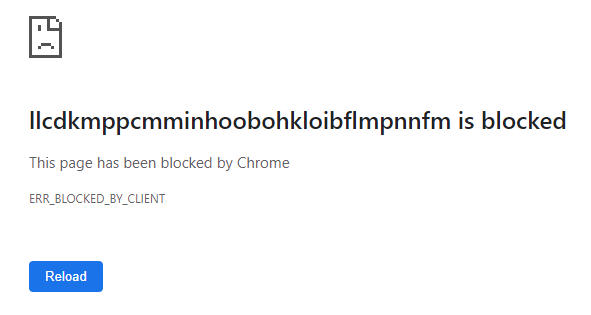
How can I show my extension html instead of chrome page also for my rule?
Thanks

wOxxOm
Aug 6, 2021, 10:27:39 AM8/6/21
to Chromium Extensions, Daniel Ivaniš
Definitely sounds like a bug in the browser. Try Chrome Canary and if the behavior is the same, report it on https://crbug.com with a demo extension attached.
Daniel Ivaniš
Aug 11, 2021, 6:52:04 AM8/11/21
to Chromium Extensions, wOxxOm, Daniel Ivaniš
Thanks, I tried Canary with the same result, so I reported it with demo - https://bugs.chromium.org/p/chromium/issues/detail?id=1238301
Dátum: piatok 6. augusta 2021, čas: 16:27:39 UTC+2, odosielateľ: wOxxOm
Daniel Ivaniš
Aug 16, 2021, 12:50:48 PM8/16/21
to Chromium Extensions, Daniel Ivaniš, wOxxOm
I have one more question related to this. Is there any possibility to know origin of redirected url in blocked.html, when multiple different urls match in the single redirect rule?
Imagine, I want to show in blocked.html text "Website site.com/abc is blocked". How can I gen information, that site.com/abc was source for redirect?
location.origin gives just
"chrome-extension://{ext_id}".
Thanks
Dátum: streda 11. augusta 2021, čas: 12:52:04 UTC+2, odosielateľ: Daniel Ivaniš
wOxxOm
Aug 17, 2021, 10:47:27 AM8/17/21
to Chromium Extensions, Daniel Ivaniš, wOxxOm
AFAIK, there's no solution. It is yet another glaring omission in this API, which was pointed out a couple years ago, one of those that makes us doubt that chromium extensions team actually knows what they're doing in general as it definitely looks like they only have vague understanding of what's been implemented by thousands of extensions over the last 5-8 years. It'd be good if you file a report on https://crbug.com and [respectfully] describe the use case in detail :-)
Daniel Ivaniš
Aug 17, 2021, 1:53:47 PM8/17/21
to Chromium Extensions, wOxxOm, Daniel Ivaniš
I can report it the most respecfully as I can, but it sounds like "So you have problem, ok I'll note it down". Whole manifest V3 and comming changes in host permissions are there to limit access to other data as much as possible (to respect user privacy, I know I know), so I'm skeptic.
As there is no regular solution, I found a little hack around it, first test looks good,
I will see how usefull it is.
Dátum: utorok 17. augusta 2021, čas: 16:47:27 UTC+2, odosielateľ: wOxxOm
wOxxOm
Aug 19, 2021, 8:38:37 AM8/19/21
to Chromium Extensions, Daniel Ivaniš, wOxxOm
I filed https://crbug.com/1241397
Meanwhile, you can add a different URL parameter to the file name in extensionPath for each rule:
- "action": { "type": "redirect", "redirect": { "extensionPath": "/foo.html?site=1" } }
- "action": { "type": "redirect", "redirect": { "extensionPath": "/foo.html?site=2" } }
Daniel Ivaniš
Aug 25, 2021, 9:56:33 AM8/25/21
to Chromium Extensions, wOxxOm, Daniel Ivaniš
Yes, I did it the same way, but it doesn't work, if you have rule "||example.com" and you open example.com/some/link/ (eg click from email). In this case, all you know is rule, that was matched, but not url, that was open.
The only working solution I found is to request host permissions, check visited URL in chrome.tabs.onUpdated and redirect to local page with chrome.tabs.update.
wOxxOm
Aug 25, 2021, 10:09:12 AM8/25/21
to Chromium Extensions, Daniel Ivaniš, wOxxOm
FWIW there's no need for host permissions to read the URL in chrome.tabs.onUpdated - just add the "tabs" permission.
wOxxOm
Aug 25, 2021, 10:10:06 AM8/25/21
to Chromium Extensions, wOxxOm, Daniel Ivaniš
Oh, I guess sometimes it might be better to request the host permissions in case you only redirect a couple of sites.
Reply all
Reply to author
Forward
0 new messages