
Re: [cas-user] CAS server not sending 302 status code after upgrade & SAML validation not happening.

Ray Bon
Notice: This message was sent from outside the University of Victoria email system. Please be cautious with links and sensitive information.
Hi Team,
We are working on upgrading CAS from 3.5.2 to 6.2.2.
Additional Info : Spring Boot - 2.2.8, ldaptive – 2.0.1, Lombok – 1.18.12, Server – Tomcat 9.
We followed the steps from https://apereo.github.io/cas/6.2.x/protocol/SAML-Protocol.html
Added Saml dependency and repository:
<dependency>
<groupId>org.apereo.cas</groupId>
<artifactId>cas-server-support-saml</artifactId>
<version>${cas.version}</version>
<scope>provided</scope>
</dependency>
<repositories>
<repository>
<id>shibboleth-releases</id>
<url>https://build.shibboleth.net/nexus/content/repositories/releases</url>
</repository>
</repositories>
From our application, we are trying to open document via other app from same domain:
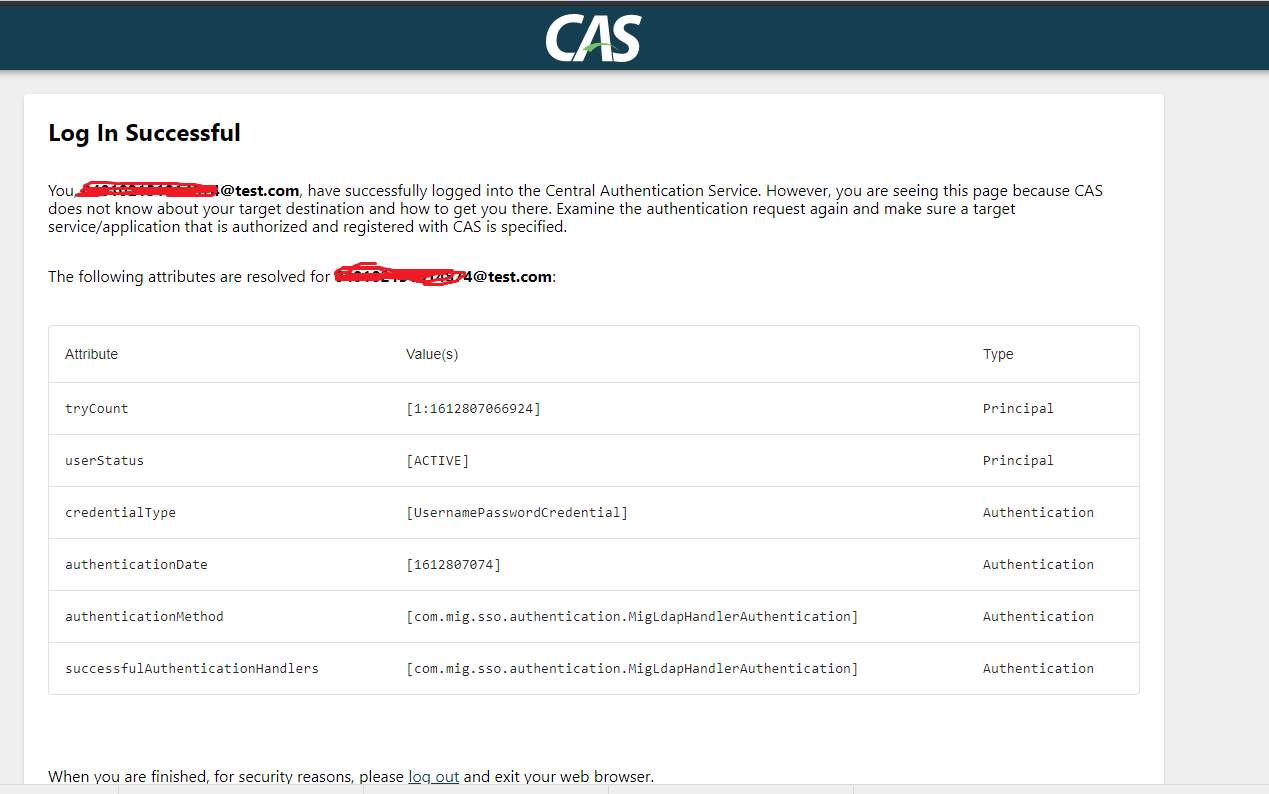
On click of “Download Application”, we are getting CAS default login successful page with below URL.
Before Upgrade : We got 302 status code along with SAMLart as a query parameter from CAS server.
After Upgrade : We are getting 200 status code and landed on below page.
cas.properties :
cas.server.name=http://localhost:8080
cas.server.prefix=${cas.server.name}/cas
cas.securityContext.casProcessingFilterEntryPoint.loginUrl=${cas.server.prefix}/login
cas.securityContext.ticketValidator.casServerUrlPrefix=${cas.server.prefix}
cas.securityContext.status.allowedSubnet=127.0.0.1
Service Registry JSON file :
{
"@class" : "org.apereo.cas.services.RegexRegisteredService",
"serviceId" : "^(https?|imaps?)://(([A-Za-z0-9_-]+.)*example.com/.*|example2.com:8090/.*)",
"name" : "web",
"description" : "Allows HTTP(S) and IMAP(S) protocols",
"id" : 10000001,
"evaluationOrder" : 1,
"usernameAttribute" : "email",
"allowedAttributes" : ["CN", "uid", "email"],
}
Whether samlvalidation is happening in our application? Configuration wise are we missing anything during CAS authentication?
Please provide the checklist/document to enable saml 1.1 protocal in CAS.
Please help in resolving the issue.
--