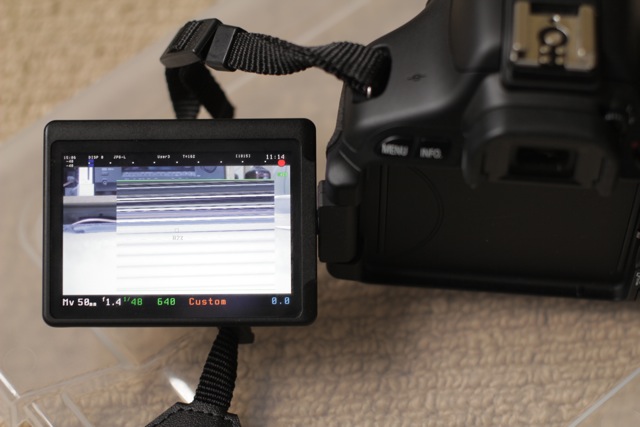
- Upgraded ML to 60D firmware 1.1.0. - To upgrade from 1.0.9 ML, the safest method is to format your cards, run the Canon firmware upgrade, then copy new ML files and make your cards bootable. - Photo mode tweak: turn off main shooting screen with a long half-shutter press. - Battery indicator in percentage, on the top bar - Movie mode remap on C position - Slit-scan pictures are working now
* 550D:
- Easier to access intermediate ISO steps in movie mode (it's just like you would change ISO with standard firmware) - Flash button in Movie mode toggles display profiles (you can customize it to toggle false color or any other LiveView tool);
* 600D: - A new series of bugfixes - Seamless shortcut for enabling/disabling 3x zoom mode (DISP + Zoom In/Out). - Audio module on 600D is still disabled; the audio chip seems different than in 5D2/550D/60D/500D (at least the registers have different addresses). I wasn't able to figure it out yet; having access to a camera for tests could help.
* All cameras:
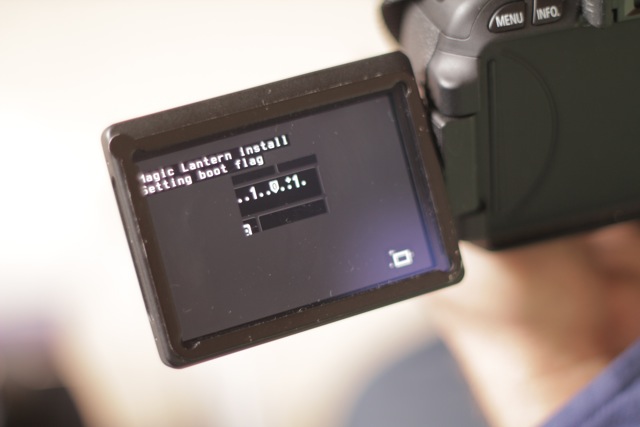
- Fixed a few stability issues and bugs regarding intervalometer, config autosave, bracketing, free space, bottom bar, magic zoom... - Simplified install method for new users: the install procedure is now basically "download, unzip, upgrade firmware and reboot". Check the install guide for details: http://magiclantern.wikia.com/wiki/Unified/Install (translations available in German, Czech, Spanish, French, Italian, Chinese Simplified and Japanese)
Existing ML users can still use the old method (with EOSCard and MacBoot).
- New screen layout, with larger fonts and color-coded shooting settings, inspired from AJ, and white-on-black theme for in-camera help (press DISP or INFO in LiveView if you don't see it); - Simplified bitrate control; QScale is only available as a hidden setting, CBR is much more reliable; - Ported AF patterns from 400plus (for photo mode only); - You can use a custom picture style for recording (toggled automagically); for example, you can record with Cinestyle and preview with Neutral; - Live defishing preview in the camera (it turns your fisheye into a rectilinear ultra-wide lens) - Ability to display either real or 35mm equivalent lens focal length (patch from msi); - Auto exposure algorithm for timelapse (it automates ISO and shutter); - Some new cropmarks, including a few ones for photo mode. - Found the true shutter counter, including LiveView actuations and quick focus attempts. Right now I have 26767 shutter actuations on 60D and 102003 on 550D. - Safety stuff: this autoexec.bin will refuse to start on a different camera camera (or on an incorrect firmware version) - User guide in wiki format, with pictures: http://magiclantern.wikia.com/wiki/Unified/UserGuide (you can improve and/or translate it in your language) - Complete list of changes here: https://bitbucket.org/hudson/magic-lantern/changesets - And, of course, a nice surprise under "Don't click me" :)
Other news: 50D and 1100D ports started, but they are still in very early stages. Most probably, on 50D will run a stripped-down version of Magic Lantern only with photo functionality. Testers and developers are welcome.
Also, the HDMI monitor from SmallHD is on its way to me, hopefully will arrive these days.
The same ML card is compatible with all these cameras (so there's a single download link now): - 550D 1.0.9 - 60D 1.1.0 - 600D 1.0.1
> - Upgraded ML to 60D firmware 1.1.0.
> - To upgrade from 1.0.9 ML, the safest method is to format your cards,
> run the Canon firmware upgrade, then copy new ML files and make your
> cards bootable.
> - Photo mode tweak: turn off main shooting screen with a long
> half-shutter press.
> - Battery indicator in percentage, on the top bar
> - Movie mode remap on C position
> - Slit-scan pictures are working now
> * 550D:
> - Easier to access intermediate ISO steps in movie mode (it's just
> like you would change ISO with standard firmware)
> - Flash button in Movie mode toggles display profiles (you can
> customize it to toggle false color or any other LiveView tool);
> * 600D:
> - A new series of bugfixes
> - Seamless shortcut for enabling/disabling 3x zoom mode (DISP + Zoom In/Out).
> - Audio module on 600D is still disabled; the audio chip seems
> different than in 5D2/550D/60D/500D (at least the registers have
> different addresses). I wasn't able to figure it out yet; having
> access to a camera for tests could help.
> * All cameras:
> - Fixed a few stability issues and bugs regarding intervalometer,
> config autosave, bracketing, free space, bottom bar, magic zoom...
> - Simplified install method for new users: the install procedure is
> now basically "download, unzip, upgrade firmware and reboot". Check
> the install guide for details:http://magiclantern.wikia.com/wiki/Unified/Install (translations
> available in German, Czech, Spanish, French, Italian, Chinese
> Simplified and Japanese)
> Existing ML users can still use the old method (with EOSCard and MacBoot).
> - New screen layout, with larger fonts and color-coded shooting
> settings, inspired from AJ, and white-on-black theme for in-camera
> help (press DISP or INFO in LiveView if you don't see it);
> - Simplified bitrate control; QScale is only available as a hidden
> setting, CBR is much more reliable;
> - Ported AF patterns from 400plus (for photo mode only);
> - You can use a custom picture style for recording (toggled
> automagically); for example, you can record with Cinestyle and preview
> with Neutral;
> - Live defishing preview in the camera (it turns your fisheye into a
> rectilinear ultra-wide lens)
> - Ability to display either real or 35mm equivalent lens focal length
> (patch from msi);
> - Auto exposure algorithm for timelapse (it automates ISO and shutter);
> - Some new cropmarks, including a few ones for photo mode.
> - Found the true shutter counter, including LiveView actuations and
> quick focus attempts. Right now I have 26767 shutter actuations on 60D
> and 102003 on 550D.
> - Safety stuff: this autoexec.bin will refuse to start on a different
> camera camera (or on an incorrect firmware version)
> - User guide in wiki format, with pictures:http://magiclantern.wikia.com/wiki/Unified/UserGuide(you can improve
> and/or translate it in your language)
> - Complete list of changes here:https://bitbucket.org/hudson/magic-lantern/changesets > - And, of course, a nice surprise under "Don't click me" :)
> Other news: 50D and 1100D ports started, but they are still in very
> early stages. Most probably, on 50D will run a stripped-down version
> of Magic Lantern only with photo functionality. Testers and developers
> are welcome.
> Also, the HDMI monitor from SmallHD is on its way to me, hopefully
> will arrive these days.
> The same ML card is compatible with all these cameras (so there's a
> single download link now):
> - 550D 1.0.9
> - 60D 1.1.0
> - 600D 1.0.1
On Mon, Aug 22, 2011 at 10:25 PM, arm.indy <arm.indi...@gmail.com> wrote: > you're doing an amazing work Alex !
> Indy
> On 22 août, 21:17, Alex <broscutama...@gmail.com> wrote: >> Time for a new stable release :)
>> Most important changes since July 8, 2011:
>> * 60D:
>> - Upgraded ML to 60D firmware 1.1.0. >> - To upgrade from 1.0.9 ML, the safest method is to format your cards, >> run the Canon firmware upgrade, then copy new ML files and make your >> cards bootable. >> - Photo mode tweak: turn off main shooting screen with a long >> half-shutter press. >> - Battery indicator in percentage, on the top bar >> - Movie mode remap on C position >> - Slit-scan pictures are working now
>> * 550D:
>> - Easier to access intermediate ISO steps in movie mode (it's just >> like you would change ISO with standard firmware) >> - Flash button in Movie mode toggles display profiles (you can >> customize it to toggle false color or any other LiveView tool);
>> * 600D: >> - A new series of bugfixes >> - Seamless shortcut for enabling/disabling 3x zoom mode (DISP + Zoom In/Out). >> - Audio module on 600D is still disabled; the audio chip seems >> different than in 5D2/550D/60D/500D (at least the registers have >> different addresses). I wasn't able to figure it out yet; having >> access to a camera for tests could help.
>> * All cameras:
>> - Fixed a few stability issues and bugs regarding intervalometer, >> config autosave, bracketing, free space, bottom bar, magic zoom... >> - Simplified install method for new users: the install procedure is >> now basically "download, unzip, upgrade firmware and reboot". Check >> the install guide for details:http://magiclantern.wikia.com/wiki/Unified/Install (translations >> available in German, Czech, Spanish, French, Italian, Chinese >> Simplified and Japanese)
>> Existing ML users can still use the old method (with EOSCard and MacBoot).
>> - New screen layout, with larger fonts and color-coded shooting >> settings, inspired from AJ, and white-on-black theme for in-camera >> help (press DISP or INFO in LiveView if you don't see it); >> - Simplified bitrate control; QScale is only available as a hidden >> setting, CBR is much more reliable; >> - Ported AF patterns from 400plus (for photo mode only); >> - You can use a custom picture style for recording (toggled >> automagically); for example, you can record with Cinestyle and preview >> with Neutral; >> - Live defishing preview in the camera (it turns your fisheye into a >> rectilinear ultra-wide lens) >> - Ability to display either real or 35mm equivalent lens focal length >> (patch from msi); >> - Auto exposure algorithm for timelapse (it automates ISO and shutter); >> - Some new cropmarks, including a few ones for photo mode. >> - Found the true shutter counter, including LiveView actuations and >> quick focus attempts. Right now I have 26767 shutter actuations on 60D >> and 102003 on 550D. >> - Safety stuff: this autoexec.bin will refuse to start on a different >> camera camera (or on an incorrect firmware version) >> - User guide in wiki format, with pictures:http://magiclantern.wikia.com/wiki/Unified/UserGuide(you can improve >> and/or translate it in your language) >> - Complete list of changes here:https://bitbucket.org/hudson/magic-lantern/changesets >> - And, of course, a nice surprise under "Don't click me" :)
>> Other news: 50D and 1100D ports started, but they are still in very >> early stages. Most probably, on 50D will run a stripped-down version >> of Magic Lantern only with photo functionality. Testers and developers >> are welcome.
>> Also, the HDMI monitor from SmallHD is on its way to me, hopefully >> will arrive these days.
>> The same ML card is compatible with all these cameras (so there's a >> single download link now): >> - 550D 1.0.9 >> - 60D 1.1.0 >> - 600D 1.0.1
> To post to this group, send email to ml-devel@googlegroups.com > To unsubscribe from this group, send email to ml-devel+unsubscribe@googlegroups.com > For more options, visit this group at http://groups.google.com/group/ml-devel?hl=en
I want to chime in with heaps of praise for everyone's efforts. It
will be a sad day when Canon implements all of these changes or nabs
you guys to work directly for them, denying us the opportunity to
benefit so frequently from what you guys are gifting us with. My
appreciation for you have given me is off the chart.
JW
On Aug 22, 12:25 pm, "arm.indy" <arm.indi...@gmail.com> wrote:
> On 22 août, 21:17, Alex <broscutama...@gmail.com> wrote:
> > Time for a new stable release :)
> > Most important changes since July 8, 2011:
> > * 60D:
> > - Upgraded ML to 60D firmware 1.1.0.
> > - To upgrade from 1.0.9 ML, the safest method is to format your cards,
> > run the Canon firmware upgrade, then copy new ML files and make your
> > cards bootable.
> > - Photo mode tweak: turn off main shooting screen with a long
> > half-shutter press.
> > - Battery indicator in percentage, on the top bar
> > - Movie mode remap on C position
> > - Slit-scan pictures are working now
> > * 550D:
> > - Easier to access intermediate ISO steps in movie mode (it's just
> > like you would change ISO with standard firmware)
> > - Flash button in Movie mode toggles display profiles (you can
> > customize it to toggle false color or any other LiveView tool);
> > * 600D:
> > - A new series of bugfixes
> > - Seamless shortcut for enabling/disabling 3x zoom mode (DISP + Zoom In/Out).
> > - Audio module on 600D is still disabled; the audio chip seems
> > different than in 5D2/550D/60D/500D (at least the registers have
> > different addresses). I wasn't able to figure it out yet; having
> > access to a camera for tests could help.
> > * All cameras:
> > - Fixed a few stability issues and bugs regarding intervalometer,
> > config autosave, bracketing, free space, bottom bar, magic zoom...
> > - Simplified install method for new users: the install procedure is
> > now basically "download, unzip, upgrade firmware and reboot". Check
> > the install guide for details:http://magiclantern.wikia.com/wiki/Unified/Install (translations
> > available in German, Czech, Spanish, French, Italian, Chinese
> > Simplified and Japanese)
> > Existing ML users can still use the old method (with EOSCard and MacBoot).
> > - New screen layout, with larger fonts and color-coded shooting
> > settings, inspired from AJ, and white-on-black theme for in-camera
> > help (press DISP or INFO in LiveView if you don't see it);
> > - Simplified bitrate control; QScale is only available as a hidden
> > setting, CBR is much more reliable;
> > - Ported AF patterns from 400plus (for photo mode only);
> > - You can use a custom picture style for recording (toggled
> > automagically); for example, you can record with Cinestyle and preview
> > with Neutral;
> > - Live defishing preview in the camera (it turns your fisheye into a
> > rectilinear ultra-wide lens)
> > - Ability to display either real or 35mm equivalent lens focal length
> > (patch from msi);
> > - Auto exposure algorithm for timelapse (it automates ISO and shutter);
> > - Some new cropmarks, including a few ones for photo mode.
> > - Found the true shutter counter, including LiveView actuations and
> > quick focus attempts. Right now I have 26767 shutter actuations on 60D
> > and 102003 on 550D.
> > - Safety stuff: this autoexec.bin will refuse to start on a different
> > camera camera (or on an incorrect firmware version)
> > - User guide in wiki format, with pictures:http://magiclantern.wikia.com/wiki/Unified/UserGuide(youcan improve
> > and/or translate it in your language)
> > - Complete list of changes here:https://bitbucket.org/hudson/magic-lantern/changesets > > - And, of course, a nice surprise under "Don't click me" :)
> > Other news: 50D and 1100D ports started, but they are still in very
> > early stages. Most probably, on 50D will run a stripped-down version
> > of Magic Lantern only with photo functionality. Testers and developers
> > are welcome.
> > Also, the HDMI monitor from SmallHD is on its way to me, hopefully
> > will arrive these days.
> > The same ML card is compatible with all these cameras (so there's a
> > single download link now):
> > - 550D 1.0.9
> > - 60D 1.1.0
> > - 600D 1.0.1
Stunning to think it was only about a year ago that I got the 550D, and started lurking on this list. Hoping that some day I'd see a few of the ML features find their way into my camera.
I read a review the other day that said the Sony NEX3 gained focus peaking through an official firmware upgrade. Looks like at least one of the manufacturers is starting to take notice.
> I want to chime in with heaps of praise for everyone's efforts. It > will be a sad day when Canon implements all of these changes or nabs > you guys to work directly for them, denying us the opportunity to > benefit so frequently from what you guys are gifting us with. My > appreciation for you have given me is off the chart.
> JW
> On Aug 22, 12:25 pm, "arm.indy" <arm.indi...@gmail.com> wrote: >> you're doing an amazing work Alex !
>> Indy
>> On 22 août, 21:17, Alex <broscutama...@gmail.com> wrote:
>>> Time for a new stable release :)
>>> Most important changes since July 8, 2011:
>>> * 60D:
>>> - Upgraded ML to 60D firmware 1.1.0. >>> - To upgrade from 1.0.9 ML, the safest method is to format your cards, >>> run the Canon firmware upgrade, then copy new ML files and make your >>> cards bootable. >>> - Photo mode tweak: turn off main shooting screen with a long >>> half-shutter press. >>> - Battery indicator in percentage, on the top bar >>> - Movie mode remap on C position >>> - Slit-scan pictures are working now
>>> * 550D:
>>> - Easier to access intermediate ISO steps in movie mode (it's just >>> like you would change ISO with standard firmware) >>> - Flash button in Movie mode toggles display profiles (you can >>> customize it to toggle false color or any other LiveView tool);
>>> * 600D: >>> - A new series of bugfixes >>> - Seamless shortcut for enabling/disabling 3x zoom mode (DISP + Zoom In/Out). >>> - Audio module on 600D is still disabled; the audio chip seems >>> different than in 5D2/550D/60D/500D (at least the registers have >>> different addresses). I wasn't able to figure it out yet; having >>> access to a camera for tests could help.
>>> * All cameras:
>>> - Fixed a few stability issues and bugs regarding intervalometer, >>> config autosave, bracketing, free space, bottom bar, magic zoom... >>> - Simplified install method for new users: the install procedure is >>> now basically "download, unzip, upgrade firmware and reboot". Check >>> the install guide for details:http://magiclantern.wikia.com/wiki/Unified/Install (translations >>> available in German, Czech, Spanish, French, Italian, Chinese >>> Simplified and Japanese)
>>> Existing ML users can still use the old method (with EOSCard and MacBoot).
>>> - New screen layout, with larger fonts and color-coded shooting >>> settings, inspired from AJ, and white-on-black theme for in-camera >>> help (press DISP or INFO in LiveView if you don't see it); >>> - Simplified bitrate control; QScale is only available as a hidden >>> setting, CBR is much more reliable; >>> - Ported AF patterns from 400plus (for photo mode only); >>> - You can use a custom picture style for recording (toggled >>> automagically); for example, you can record with Cinestyle and preview >>> with Neutral; >>> - Live defishing preview in the camera (it turns your fisheye into a >>> rectilinear ultra-wide lens) >>> - Ability to display either real or 35mm equivalent lens focal length >>> (patch from msi); >>> - Auto exposure algorithm for timelapse (it automates ISO and shutter); >>> - Some new cropmarks, including a few ones for photo mode. >>> - Found the true shutter counter, including LiveView actuations and >>> quick focus attempts. Right now I have 26767 shutter actuations on 60D >>> and 102003 on 550D. >>> - Safety stuff: this autoexec.bin will refuse to start on a different >>> camera camera (or on an incorrect firmware version) >>> - User guide in wiki format, with pictures:http://magiclantern.wikia.com/wiki/Unified/UserGuide(youcan improve >>> and/or translate it in your language) >>> - Complete list of changes here:https://bitbucket.org/hudson/magic-lantern/changesets >>> - And, of course, a nice surprise under "Don't click me" :)
>>> Other news: 50D and 1100D ports started, but they are still in very >>> early stages. Most probably, on 50D will run a stripped-down version >>> of Magic Lantern only with photo functionality. Testers and developers >>> are welcome.
>>> Also, the HDMI monitor from SmallHD is on its way to me, hopefully >>> will arrive these days.
>>> The same ML card is compatible with all these cameras (so there's a >>> single download link now): >>> - 550D 1.0.9 >>> - 60D 1.1.0 >>> - 600D 1.0.1
> To post to this group, send email to ml-devel@googlegroups.com > To unsubscribe from this group, send email to ml-devel+unsubscribe@googlegroups.com > For more options, visit this group at http://groups.google.com/group/ml-devel?hl=en
On Mon, Aug 22, 2011 at 11:09 PM, Morgan Look <morgan.l...@gmail.com> wrote: > Stunning to think it was only about a year ago that I got the 550D, and started lurking on this list. Hoping that some day I'd see a few of the ML features find their way into my camera.
> I read a review the other day that said the Sony NEX3 gained focus peaking through an official firmware upgrade. > Looks like at least one of the manufacturers is starting to take notice.
> Good work.
> Morgan.
> On 23/08/2011, at 7:42 AM, unity2k wrote:
>> I want to chime in with heaps of praise for everyone's efforts. It >> will be a sad day when Canon implements all of these changes or nabs >> you guys to work directly for them, denying us the opportunity to >> benefit so frequently from what you guys are gifting us with. My >> appreciation for you have given me is off the chart.
>> JW
>> On Aug 22, 12:25 pm, "arm.indy" <arm.indi...@gmail.com> wrote: >>> you're doing an amazing work Alex !
>>> Indy
>>> On 22 août, 21:17, Alex <broscutama...@gmail.com> wrote:
>>>> Time for a new stable release :)
>>>> Most important changes since July 8, 2011:
>>>> * 60D:
>>>> - Upgraded ML to 60D firmware 1.1.0. >>>> - To upgrade from 1.0.9 ML, the safest method is to format your cards, >>>> run the Canon firmware upgrade, then copy new ML files and make your >>>> cards bootable. >>>> - Photo mode tweak: turn off main shooting screen with a long >>>> half-shutter press. >>>> - Battery indicator in percentage, on the top bar >>>> - Movie mode remap on C position >>>> - Slit-scan pictures are working now
>>>> * 550D:
>>>> - Easier to access intermediate ISO steps in movie mode (it's just >>>> like you would change ISO with standard firmware) >>>> - Flash button in Movie mode toggles display profiles (you can >>>> customize it to toggle false color or any other LiveView tool);
>>>> * 600D: >>>> - A new series of bugfixes >>>> - Seamless shortcut for enabling/disabling 3x zoom mode (DISP + Zoom In/Out). >>>> - Audio module on 600D is still disabled; the audio chip seems >>>> different than in 5D2/550D/60D/500D (at least the registers have >>>> different addresses). I wasn't able to figure it out yet; having >>>> access to a camera for tests could help.
>>>> * All cameras:
>>>> - Fixed a few stability issues and bugs regarding intervalometer, >>>> config autosave, bracketing, free space, bottom bar, magic zoom... >>>> - Simplified install method for new users: the install procedure is >>>> now basically "download, unzip, upgrade firmware and reboot". Check >>>> the install guide for details:http://magiclantern.wikia.com/wiki/Unified/Install (translations >>>> available in German, Czech, Spanish, French, Italian, Chinese >>>> Simplified and Japanese)
>>>> Existing ML users can still use the old method (with EOSCard and MacBoot).
>>>> - New screen layout, with larger fonts and color-coded shooting >>>> settings, inspired from AJ, and white-on-black theme for in-camera >>>> help (press DISP or INFO in LiveView if you don't see it); >>>> - Simplified bitrate control; QScale is only available as a hidden >>>> setting, CBR is much more reliable; >>>> - Ported AF patterns from 400plus (for photo mode only); >>>> - You can use a custom picture style for recording (toggled >>>> automagically); for example, you can record with Cinestyle and preview >>>> with Neutral; >>>> - Live defishing preview in the camera (it turns your fisheye into a >>>> rectilinear ultra-wide lens) >>>> - Ability to display either real or 35mm equivalent lens focal length >>>> (patch from msi); >>>> - Auto exposure algorithm for timelapse (it automates ISO and shutter); >>>> - Some new cropmarks, including a few ones for photo mode. >>>> - Found the true shutter counter, including LiveView actuations and >>>> quick focus attempts. Right now I have 26767 shutter actuations on 60D >>>> and 102003 on 550D. >>>> - Safety stuff: this autoexec.bin will refuse to start on a different >>>> camera camera (or on an incorrect firmware version) >>>> - User guide in wiki format, with pictures:http://magiclantern.wikia.com/wiki/Unified/UserGuide(youcan improve >>>> and/or translate it in your language) >>>> - Complete list of changes here:https://bitbucket.org/hudson/magic-lantern/changesets >>>> - And, of course, a nice surprise under "Don't click me" :)
>>>> Other news: 50D and 1100D ports started, but they are still in very >>>> early stages. Most probably, on 50D will run a stripped-down version >>>> of Magic Lantern only with photo functionality. Testers and developers >>>> are welcome.
>>>> Also, the HDMI monitor from SmallHD is on its way to me, hopefully >>>> will arrive these days.
>>>> The same ML card is compatible with all these cameras (so there's a >>>> single download link now): >>>> - 550D 1.0.9 >>>> - 60D 1.1.0 >>>> - 600D 1.0.1
>> To post to this group, send email to ml-devel@googlegroups.com >> To unsubscribe from this group, send email to ml-devel+unsubscribe@googlegroups.com >> For more options, visit this group at http://groups.google.com/group/ml-devel?hl=en
> To post to this group, send email to ml-devel@googlegroups.com > To unsubscribe from this group, send email to ml-devel+unsubscribe@googlegroups.com > For more options, visit this group at http://groups.google.com/group/ml-devel?hl=en
> An year ago I was almost ready to get a Pentax K-x :)
> Interesting news about focus peaking, seems much more polished than my > implementation.
> On Mon, Aug 22, 2011 at 11:09 PM, Morgan Look<morgan.l...@gmail.com> wrote: >> Stunning to think it was only about a year ago that I got the 550D, and started lurking on this list. Hoping that some day I'd see a few of the ML features find their way into my camera.
>> I read a review the other day that said the Sony NEX3 gained focus peaking through an official firmware upgrade. >> Looks like at least one of the manufacturers is starting to take notice.
>> Good work.
>> Morgan.
>> On 23/08/2011, at 7:42 AM, unity2k wrote:
>>> I want to chime in with heaps of praise for everyone's efforts. It >>> will be a sad day when Canon implements all of these changes or nabs >>> you guys to work directly for them, denying us the opportunity to >>> benefit so frequently from what you guys are gifting us with. My >>> appreciation for you have given me is off the chart.
>>> JW
>>> On Aug 22, 12:25 pm, "arm.indy"<arm.indi...@gmail.com> wrote: >>>> you're doing an amazing work Alex !
>>>> Indy
>>>> On 22 ao t, 21:17, Alex<broscutama...@gmail.com> wrote:
>>>>> Time for a new stable release :) >>>>> Most important changes since July 8, 2011: >>>>> * 60D: >>>>> - Upgraded ML to 60D firmware 1.1.0. >>>>> - To upgrade from 1.0.9 ML, the safest method is to format your cards, >>>>> run the Canon firmware upgrade, then copy new ML files and make your >>>>> cards bootable. >>>>> - Photo mode tweak: turn off main shooting screen with a long >>>>> half-shutter press. >>>>> - Battery indicator in percentage, on the top bar >>>>> - Movie mode remap on C position >>>>> - Slit-scan pictures are working now >>>>> * 550D: >>>>> - Easier to access intermediate ISO steps in movie mode (it's just >>>>> like you would change ISO with standard firmware) >>>>> - Flash button in Movie mode toggles display profiles (you can >>>>> customize it to toggle false color or any other LiveView tool); >>>>> * 600D: >>>>> - A new series of bugfixes >>>>> - Seamless shortcut for enabling/disabling 3x zoom mode (DISP + Zoom In/Out). >>>>> - Audio module on 600D is still disabled; the audio chip seems >>>>> different than in 5D2/550D/60D/500D (at least the registers have >>>>> different addresses). I wasn't able to figure it out yet; having >>>>> access to a camera for tests could help. >>>>> * All cameras: >>>>> - Fixed a few stability issues and bugs regarding intervalometer, >>>>> config autosave, bracketing, free space, bottom bar, magic zoom... >>>>> - Simplified install method for new users: the install procedure is >>>>> now basically "download, unzip, upgrade firmware and reboot". Check >>>>> the install guide for details:http://magiclantern.wikia.com/wiki/Unified/Install (translations >>>>> available in German, Czech, Spanish, French, Italian, Chinese >>>>> Simplified and Japanese) >>>>> Existing ML users can still use the old method (with EOSCard and MacBoot). >>>>> - New screen layout, with larger fonts and color-coded shooting >>>>> settings, inspired from AJ, and white-on-black theme for in-camera >>>>> help (press DISP or INFO in LiveView if you don't see it); >>>>> - Simplified bitrate control; QScale is only available as a hidden >>>>> setting, CBR is much more reliable; >>>>> - Ported AF patterns from 400plus (for photo mode only); >>>>> - You can use a custom picture style for recording (toggled >>>>> automagically); for example, you can record with Cinestyle and preview >>>>> with Neutral; >>>>> - Live defishing preview in the camera (it turns your fisheye into a >>>>> rectilinear ultra-wide lens) >>>>> - Ability to display either real or 35mm equivalent lens focal length >>>>> (patch from msi); >>>>> - Auto exposure algorithm for timelapse (it automates ISO and shutter); >>>>> - Some new cropmarks, including a few ones for photo mode. >>>>> - Found the true shutter counter, including LiveView actuations and >>>>> quick focus attempts. Right now I have 26767 shutter actuations on 60D >>>>> and 102003 on 550D. >>>>> - Safety stuff: this autoexec.bin will refuse to start on a different >>>>> camera camera (or on an incorrect firmware version) >>>>> - User guide in wiki format, with pictures:http://magiclantern.wikia.com/wiki/Unified/UserGuide(youcan improve >>>>> and/or translate it in your language) >>>>> - Complete list of changes here:https://bitbucket.org/hudson/magic-lantern/changesets >>>>> - And, of course, a nice surprise under "Don't click me" :) >>>>> Other news: 50D and 1100D ports started, but they are still in very >>>>> early stages. Most probably, on 50D will run a stripped-down version >>>>> of Magic Lantern only with photo functionality. Testers and developers >>>>> are welcome. >>>>> Also, the HDMI monitor from SmallHD is on its way to me, hopefully >>>>> will arrive these days. >>>>> The same ML card is compatible with all these cameras (so there's a >>>>> single download link now): >>>>> - 550D 1.0.9 >>>>> - 60D 1.1.0 >>>>> - 600D 1.0.1 >>>>> You need to unzip all the files on the card (not just autoexec.bin).http://bitbucket.org/hudson/magic-lantern/downloads/magiclantern-2011... >>>>> Enjoy! >>>>> P.S. If you like Magic Lantern, you can buy me a pizza here :)http://goo.gl/79JgB- Hide quoted text - >>>> - Show quoted text - >>> -- >>> http://magiclantern.wikia.com/
>> To post to this group, send email to ml-devel@googlegroups.com >> To unsubscribe from this group, send email to ml-devel+unsubscribe@googlegroups.com >> For more options, visit this group at http://groups.google.com/group/ml-devel?hl=en
> - Upgraded ML to 60D firmware 1.1.0. > - To upgrade from 1.0.9 ML, the safest method is to format your cards, > run the Canon firmware upgrade, then copy new ML files and make your > cards bootable. > - Photo mode tweak: turn off main shooting screen with a long > half-shutter press. > - Battery indicator in percentage, on the top bar > - Movie mode remap on C position > - Slit-scan pictures are working now
> * 550D:
> - Easier to access intermediate ISO steps in movie mode (it's just > like you would change ISO with standard firmware) > - Flash button in Movie mode toggles display profiles (you can > customize it to toggle false color or any other LiveView tool);
> * 600D: > - A new series of bugfixes > - Seamless shortcut for enabling/disabling 3x zoom mode (DISP + Zoom In/Out). > - Audio module on 600D is still disabled; the audio chip seems > different than in 5D2/550D/60D/500D (at least the registers have > different addresses). I wasn't able to figure it out yet; having > access to a camera for tests could help.
> * All cameras:
> - Fixed a few stability issues and bugs regarding intervalometer, > config autosave, bracketing, free space, bottom bar, magic zoom... > - Simplified install method for new users: the install procedure is > now basically "download, unzip, upgrade firmware and reboot". Check > the install guide for details: > http://magiclantern.wikia.com/wiki/Unified/Install (translations > available in German, Czech, Spanish, French, Italian, Chinese > Simplified and Japanese)
> Existing ML users can still use the old method (with EOSCard and MacBoot).
> - New screen layout, with larger fonts and color-coded shooting > settings, inspired from AJ, and white-on-black theme for in-camera > help (press DISP or INFO in LiveView if you don't see it); > - Simplified bitrate control; QScale is only available as a hidden > setting, CBR is much more reliable; > - Ported AF patterns from 400plus (for photo mode only); > - You can use a custom picture style for recording (toggled > automagically); for example, you can record with Cinestyle and preview > with Neutral; > - Live defishing preview in the camera (it turns your fisheye into a > rectilinear ultra-wide lens) > - Ability to display either real or 35mm equivalent lens focal length > (patch from msi); > - Auto exposure algorithm for timelapse (it automates ISO and shutter); > - Some new cropmarks, including a few ones for photo mode. > - Found the true shutter counter, including LiveView actuations and > quick focus attempts. Right now I have 26767 shutter actuations on 60D > and 102003 on 550D. > - Safety stuff: this autoexec.bin will refuse to start on a different > camera camera (or on an incorrect firmware version) > - User guide in wiki format, with pictures: > http://magiclantern.wikia.com/wiki/Unified/UserGuide (you can improve > and/or translate it in your language) > - Complete list of changes here: > https://bitbucket.org/hudson/magic-lantern/changesets > - And, of course, a nice surprise under "Don't click me" :)
> Other news: 50D and 1100D ports started, but they are still in very > early stages. Most probably, on 50D will run a stripped-down version > of Magic Lantern only with photo functionality. Testers and developers > are welcome.
> Also, the HDMI monitor from SmallHD is on its way to me, hopefully > will arrive these days.
> The same ML card is compatible with all these cameras (so there's a > single download link now): > - 550D 1.0.9 > - 60D 1.1.0 > - 600D 1.0.1
> You need to unzip all the files on the card (not just autoexec.bin).
Does the 600D provide many audio functions out of the box? Say to allow for always-on level meters, and volume adjustment shortcuts. These are the two most important audio features I feel, It's a pain to go into the menu just to even see if your levels are too high.
I haven't installed ML on the 600D yet (it belongs to the gf), but it looks like this might be the release to try.
> - Upgraded ML to 60D firmware 1.1.0. > - To upgrade from 1.0.9 ML, the safest method is to format your cards, > run the Canon firmware upgrade, then copy new ML files and make your > cards bootable. > - Photo mode tweak: turn off main shooting screen with a long > half-shutter press. > - Battery indicator in percentage, on the top bar > - Movie mode remap on C position > - Slit-scan pictures are working now
> * 550D:
> - Easier to access intermediate ISO steps in movie mode (it's just > like you would change ISO with standard firmware) > - Flash button in Movie mode toggles display profiles (you can > customize it to toggle false color or any other LiveView tool);
> * 600D: > - A new series of bugfixes > - Seamless shortcut for enabling/disabling 3x zoom mode (DISP + Zoom In/Out). > - Audio module on 600D is still disabled; the audio chip seems > different than in 5D2/550D/60D/500D (at least the registers have > different addresses). I wasn't able to figure it out yet; having > access to a camera for tests could help.
> * All cameras:
> - Fixed a few stability issues and bugs regarding intervalometer, > config autosave, bracketing, free space, bottom bar, magic zoom... > - Simplified install method for new users: the install procedure is > now basically "download, unzip, upgrade firmware and reboot". Check > the install guide for details: > http://magiclantern.wikia.com/wiki/Unified/Install (translations > available in German, Czech, Spanish, French, Italian, Chinese > Simplified and Japanese)
> Existing ML users can still use the old method (with EOSCard and MacBoot).
> - New screen layout, with larger fonts and color-coded shooting > settings, inspired from AJ, and white-on-black theme for in-camera > help (press DISP or INFO in LiveView if you don't see it); > - Simplified bitrate control; QScale is only available as a hidden > setting, CBR is much more reliable; > - Ported AF patterns from 400plus (for photo mode only); > - You can use a custom picture style for recording (toggled > automagically); for example, you can record with Cinestyle and preview > with Neutral; > - Live defishing preview in the camera (it turns your fisheye into a > rectilinear ultra-wide lens) > - Ability to display either real or 35mm equivalent lens focal length > (patch from msi); > - Auto exposure algorithm for timelapse (it automates ISO and shutter); > - Some new cropmarks, including a few ones for photo mode. > - Found the true shutter counter, including LiveView actuations and > quick focus attempts. Right now I have 26767 shutter actuations on 60D > and 102003 on 550D. > - Safety stuff: this autoexec.bin will refuse to start on a different > camera camera (or on an incorrect firmware version) > - User guide in wiki format, with pictures: > http://magiclantern.wikia.com/wiki/Unified/UserGuide (you can improve > and/or translate it in your language) > - Complete list of changes here: > https://bitbucket.org/hudson/magic-lantern/changesets > - And, of course, a nice surprise under "Don't click me" :)
> Other news: 50D and 1100D ports started, but they are still in very > early stages. Most probably, on 50D will run a stripped-down version > of Magic Lantern only with photo functionality. Testers and developers > are welcome.
> Also, the HDMI monitor from SmallHD is on its way to me, hopefully > will arrive these days.
> The same ML card is compatible with all these cameras (so there's a > single download link now): > - 550D 1.0.9 > - 60D 1.1.0 > - 600D 1.0.1
> To post to this group, send email to ml-devel@googlegroups.com > To unsubscribe from this group, send email to ml-devel+unsubscribe@googlegroups.com > For more options, visit this group at http://groups.google.com/group/ml-devel?hl=en
But the problem is that audio chip may be different (addresses used in audio_ic_read/write are not the same as in 5D2, 550D, 60D, 600D and 500D).
Also, the audio stuff is very difficult to debug via Skype, since I can't just probe various registers myself and listen to the changes. Scrax and me tried hard to fix this (he sent me test videos), but I'm afraid I can't do more in this direction without having a 600D in my hands.
On Mon, Aug 22, 2011 at 11:31 PM, Morgan Look <morgan.l...@gmail.com> wrote: > Does the 600D provide many audio functions out of the box? Say to allow for always-on level meters, and volume adjustment shortcuts. > These are the two most important audio features I feel, It's a pain to go into the menu just to even see if your levels are too high.
> I haven't installed ML on the 600D yet (it belongs to the gf), but it looks like this might be the release to try.
> Morgan.
> On 23/08/2011, at 7:17 AM, Alex wrote:
>> Time for a new stable release :)
>> Most important changes since July 8, 2011:
>> * 60D:
>> - Upgraded ML to 60D firmware 1.1.0. >> - To upgrade from 1.0.9 ML, the safest method is to format your cards, >> run the Canon firmware upgrade, then copy new ML files and make your >> cards bootable. >> - Photo mode tweak: turn off main shooting screen with a long >> half-shutter press. >> - Battery indicator in percentage, on the top bar >> - Movie mode remap on C position >> - Slit-scan pictures are working now
>> * 550D:
>> - Easier to access intermediate ISO steps in movie mode (it's just >> like you would change ISO with standard firmware) >> - Flash button in Movie mode toggles display profiles (you can >> customize it to toggle false color or any other LiveView tool);
>> * 600D: >> - A new series of bugfixes >> - Seamless shortcut for enabling/disabling 3x zoom mode (DISP + Zoom In/Out). >> - Audio module on 600D is still disabled; the audio chip seems >> different than in 5D2/550D/60D/500D (at least the registers have >> different addresses). I wasn't able to figure it out yet; having >> access to a camera for tests could help.
>> * All cameras:
>> - Fixed a few stability issues and bugs regarding intervalometer, >> config autosave, bracketing, free space, bottom bar, magic zoom... >> - Simplified install method for new users: the install procedure is >> now basically "download, unzip, upgrade firmware and reboot". Check >> the install guide for details: >> http://magiclantern.wikia.com/wiki/Unified/Install (translations >> available in German, Czech, Spanish, French, Italian, Chinese >> Simplified and Japanese)
>> Existing ML users can still use the old method (with EOSCard and MacBoot).
>> - New screen layout, with larger fonts and color-coded shooting >> settings, inspired from AJ, and white-on-black theme for in-camera >> help (press DISP or INFO in LiveView if you don't see it); >> - Simplified bitrate control; QScale is only available as a hidden >> setting, CBR is much more reliable; >> - Ported AF patterns from 400plus (for photo mode only); >> - You can use a custom picture style for recording (toggled >> automagically); for example, you can record with Cinestyle and preview >> with Neutral; >> - Live defishing preview in the camera (it turns your fisheye into a >> rectilinear ultra-wide lens) >> - Ability to display either real or 35mm equivalent lens focal length >> (patch from msi); >> - Auto exposure algorithm for timelapse (it automates ISO and shutter); >> - Some new cropmarks, including a few ones for photo mode. >> - Found the true shutter counter, including LiveView actuations and >> quick focus attempts. Right now I have 26767 shutter actuations on 60D >> and 102003 on 550D. >> - Safety stuff: this autoexec.bin will refuse to start on a different >> camera camera (or on an incorrect firmware version) >> - User guide in wiki format, with pictures: >> http://magiclantern.wikia.com/wiki/Unified/UserGuide (you can improve >> and/or translate it in your language) >> - Complete list of changes here: >> https://bitbucket.org/hudson/magic-lantern/changesets >> - And, of course, a nice surprise under "Don't click me" :)
>> Other news: 50D and 1100D ports started, but they are still in very >> early stages. Most probably, on 50D will run a stripped-down version >> of Magic Lantern only with photo functionality. Testers and developers >> are welcome.
>> Also, the HDMI monitor from SmallHD is on its way to me, hopefully >> will arrive these days.
>> The same ML card is compatible with all these cameras (so there's a >> single download link now): >> - 550D 1.0.9 >> - 60D 1.1.0 >> - 600D 1.0.1
>> To post to this group, send email to ml-devel@googlegroups.com >> To unsubscribe from this group, send email to ml-devel+unsubscribe@googlegroups.com >> For more options, visit this group at http://groups.google.com/group/ml-devel?hl=en
> To post to this group, send email to ml-devel@googlegroups.com > To unsubscribe from this group, send email to ml-devel+unsubscribe@googlegroups.com > For more options, visit this group at http://groups.google.com/group/ml-devel?hl=en
Given the number of volume steps in the Canon menu i just assumed that it was dithering the analogue and digital gain values.
Someone who's pulled their cam apart might be able to tell us what the part number on the audio chip is, assuming they can identify it. Confirming it's the same, or getting a data sheet if it's different would obviously be a big help.
> But the problem is that audio chip may be different (addresses used in > audio_ic_read/write are not the same as in 5D2, 550D, 60D, 600D and > 500D).
> Also, the audio stuff is very difficult to debug via Skype, since I > can't just probe various registers myself and listen to the changes. > Scrax and me tried hard to fix this (he sent me test videos), but I'm > afraid I can't do more in this direction without having a 600D in my > hands.
> On Mon, Aug 22, 2011 at 11:31 PM, Morgan Look <morgan.l...@gmail.com> wrote: >> Does the 600D provide many audio functions out of the box? Say to allow for always-on level meters, and volume adjustment shortcuts. >> These are the two most important audio features I feel, It's a pain to go into the menu just to even see if your levels are too high.
>> I haven't installed ML on the 600D yet (it belongs to the gf), but it looks like this might be the release to try.
>> Morgan.
>> On 23/08/2011, at 7:17 AM, Alex wrote:
>>> Time for a new stable release :)
>>> Most important changes since July 8, 2011:
>>> * 60D:
>>> - Upgraded ML to 60D firmware 1.1.0. >>> - To upgrade from 1.0.9 ML, the safest method is to format your cards, >>> run the Canon firmware upgrade, then copy new ML files and make your >>> cards bootable. >>> - Photo mode tweak: turn off main shooting screen with a long >>> half-shutter press. >>> - Battery indicator in percentage, on the top bar >>> - Movie mode remap on C position >>> - Slit-scan pictures are working now
>>> * 550D:
>>> - Easier to access intermediate ISO steps in movie mode (it's just >>> like you would change ISO with standard firmware) >>> - Flash button in Movie mode toggles display profiles (you can >>> customize it to toggle false color or any other LiveView tool);
>>> * 600D: >>> - A new series of bugfixes >>> - Seamless shortcut for enabling/disabling 3x zoom mode (DISP + Zoom In/Out). >>> - Audio module on 600D is still disabled; the audio chip seems >>> different than in 5D2/550D/60D/500D (at least the registers have >>> different addresses). I wasn't able to figure it out yet; having >>> access to a camera for tests could help.
>>> * All cameras:
>>> - Fixed a few stability issues and bugs regarding intervalometer, >>> config autosave, bracketing, free space, bottom bar, magic zoom... >>> - Simplified install method for new users: the install procedure is >>> now basically "download, unzip, upgrade firmware and reboot". Check >>> the install guide for details: >>> http://magiclantern.wikia.com/wiki/Unified/Install (translations >>> available in German, Czech, Spanish, French, Italian, Chinese >>> Simplified and Japanese)
>>> Existing ML users can still use the old method (with EOSCard and MacBoot).
>>> - New screen layout, with larger fonts and color-coded shooting >>> settings, inspired from AJ, and white-on-black theme for in-camera >>> help (press DISP or INFO in LiveView if you don't see it); >>> - Simplified bitrate control; QScale is only available as a hidden >>> setting, CBR is much more reliable; >>> - Ported AF patterns from 400plus (for photo mode only); >>> - You can use a custom picture style for recording (toggled >>> automagically); for example, you can record with Cinestyle and preview >>> with Neutral; >>> - Live defishing preview in the camera (it turns your fisheye into a >>> rectilinear ultra-wide lens) >>> - Ability to display either real or 35mm equivalent lens focal length >>> (patch from msi); >>> - Auto exposure algorithm for timelapse (it automates ISO and shutter); >>> - Some new cropmarks, including a few ones for photo mode. >>> - Found the true shutter counter, including LiveView actuations and >>> quick focus attempts. Right now I have 26767 shutter actuations on 60D >>> and 102003 on 550D. >>> - Safety stuff: this autoexec.bin will refuse to start on a different >>> camera camera (or on an incorrect firmware version) >>> - User guide in wiki format, with pictures: >>> http://magiclantern.wikia.com/wiki/Unified/UserGuide (you can improve >>> and/or translate it in your language) >>> - Complete list of changes here: >>> https://bitbucket.org/hudson/magic-lantern/changesets >>> - And, of course, a nice surprise under "Don't click me" :)
>>> Other news: 50D and 1100D ports started, but they are still in very >>> early stages. Most probably, on 50D will run a stripped-down version >>> of Magic Lantern only with photo functionality. Testers and developers >>> are welcome.
>>> Also, the HDMI monitor from SmallHD is on its way to me, hopefully >>> will arrive these days.
>>> The same ML card is compatible with all these cameras (so there's a >>> single download link now): >>> - 550D 1.0.9 >>> - 60D 1.1.0 >>> - 600D 1.0.1
>>> To post to this group, send email to ml-devel@googlegroups.com >>> To unsubscribe from this group, send email to ml-devel+unsubscribe@googlegroups.com >>> For more options, visit this group at http://groups.google.com/group/ml-devel?hl=en
>> To post to this group, send email to ml-devel@googlegroups.com >> To unsubscribe from this group, send email to ml-devel+unsubscribe@googlegroups.com >> For more options, visit this group at http://groups.google.com/group/ml-devel?hl=en
> To post to this group, send email to ml-devel@googlegroups.com > To unsubscribe from this group, send email to ml-devel+unsubscribe@googlegroups.com > For more options, visit this group at http://groups.google.com/group/ml-devel?hl=en
> But the problem is that audio chip may be different (addresses used in > audio_ic_read/write are not the same as in 5D2, 550D, 60D, 600D and > 500D).
> Also, the audio stuff is very difficult to debug via Skype, since I > can't just probe various registers myself and listen to the changes. > Scrax and me tried hard to fix this (he sent me test videos), but I'm > afraid I can't do more in this direction without having a 600D in my > hands.
> On Mon, Aug 22, 2011 at 11:31 PM, Morgan Look <morgan.l...@gmail.com> wrote: >> Does the 600D provide many audio functions out of the box? Say to allow for always-on level meters, and volume adjustment shortcuts. >> These are the two most important audio features I feel, It's a pain to go into the menu just to even see if your levels are too high.
>> I haven't installed ML on the 600D yet (it belongs to the gf), but it looks like this might be the release to try.
>> Morgan.
>> On 23/08/2011, at 7:17 AM, Alex wrote:
>>> Time for a new stable release :)
>>> Most important changes since July 8, 2011:
>>> * 60D:
>>> - Upgraded ML to 60D firmware 1.1.0. >>> - To upgrade from 1.0.9 ML, the safest method is to format your cards, >>> run the Canon firmware upgrade, then copy new ML files and make your >>> cards bootable. >>> - Photo mode tweak: turn off main shooting screen with a long >>> half-shutter press. >>> - Battery indicator in percentage, on the top bar >>> - Movie mode remap on C position >>> - Slit-scan pictures are working now
>>> * 550D:
>>> - Easier to access intermediate ISO steps in movie mode (it's just >>> like you would change ISO with standard firmware) >>> - Flash button in Movie mode toggles display profiles (you can >>> customize it to toggle false color or any other LiveView tool);
>>> * 600D: >>> - A new series of bugfixes >>> - Seamless shortcut for enabling/disabling 3x zoom mode (DISP + Zoom In/Out). >>> - Audio module on 600D is still disabled; the audio chip seems >>> different than in 5D2/550D/60D/500D (at least the registers have >>> different addresses). I wasn't able to figure it out yet; having >>> access to a camera for tests could help.
>>> * All cameras:
>>> - Fixed a few stability issues and bugs regarding intervalometer, >>> config autosave, bracketing, free space, bottom bar, magic zoom... >>> - Simplified install method for new users: the install procedure is >>> now basically "download, unzip, upgrade firmware and reboot". Check >>> the install guide for details: >>> http://magiclantern.wikia.com/wiki/Unified/Install (translations >>> available in German, Czech, Spanish, French, Italian, Chinese >>> Simplified and Japanese)
>>> Existing ML users can still use the old method (with EOSCard and MacBoot).
>>> - New screen layout, with larger fonts and color-coded shooting >>> settings, inspired from AJ, and white-on-black theme for in-camera >>> help (press DISP or INFO in LiveView if you don't see it); >>> - Simplified bitrate control; QScale is only available as a hidden >>> setting, CBR is much more reliable; >>> - Ported AF patterns from 400plus (for photo mode only); >>> - You can use a custom picture style for recording (toggled >>> automagically); for example, you can record with Cinestyle and preview >>> with Neutral; >>> - Live defishing preview in the camera (it turns your fisheye into a >>> rectilinear ultra-wide lens) >>> - Ability to display either real or 35mm equivalent lens focal length >>> (patch from msi); >>> - Auto exposure algorithm for timelapse (it automates ISO and shutter); >>> - Some new cropmarks, including a few ones for photo mode. >>> - Found the true shutter counter, including LiveView actuations and >>> quick focus attempts. Right now I have 26767 shutter actuations on 60D >>> and 102003 on 550D. >>> - Safety stuff: this autoexec.bin will refuse to start on a different >>> camera camera (or on an incorrect firmware version) >>> - User guide in wiki format, with pictures: >>> http://magiclantern.wikia.com/wiki/Unified/UserGuide (you can improve >>> and/or translate it in your language) >>> - Complete list of changes here: >>> https://bitbucket.org/hudson/magic-lantern/changesets >>> - And, of course, a nice surprise under "Don't click me" :)
>>> Other news: 50D and 1100D ports started, but they are still in very >>> early stages. Most probably, on 50D will run a stripped-down version >>> of Magic Lantern only with photo functionality. Testers and developers >>> are welcome.
>>> Also, the HDMI monitor from SmallHD is on its way to me, hopefully >>> will arrive these days.
>>> The same ML card is compatible with all these cameras (so there's a >>> single download link now): >>> - 550D 1.0.9 >>> - 60D 1.1.0 >>> - 600D 1.0.1
>>> To post to this group, send email to ml-devel@googlegroups.com >>> To unsubscribe from this group, send email to ml-devel+unsubscribe@googlegroups.com >>> For more options, visit this group at http://groups.google.com/group/ml-devel?hl=en
>> To post to this group, send email to ml-devel@googlegroups.com >> To unsubscribe from this group, send email to ml-devel+unsubscribe@googlegroups.com >> For more options, visit this group at http://groups.google.com/group/ml-devel?hl=en
> To post to this group, send email to ml-devel@googlegroups.com > To unsubscribe from this group, send email to ml-devel+unsubscribe@googlegroups.com > For more options, visit this group at http://groups.google.com/group/ml-devel?hl=en
I would anticipate the T3i to have some other AK part, but it's possible they switched to a different manufacturer. Looking at the asahi-kasei website it seems they don't always show the full part number on some newer IC's, just the number eg the AK4673 looks like this.
>> But the problem is that audio chip may be different (addresses used in >> audio_ic_read/write are not the same as in 5D2, 550D, 60D, 600D and >> 500D).
>> Also, the audio stuff is very difficult to debug via Skype, since I >> can't just probe various registers myself and listen to the changes. >> Scrax and me tried hard to fix this (he sent me test videos), but I'm >> afraid I can't do more in this direction without having a 600D in my >> hands.
>> On Mon, Aug 22, 2011 at 11:31 PM, Morgan Look <morgan.l...@gmail.com> wrote: >>> Does the 600D provide many audio functions out of the box? Say to allow for always-on level meters, and volume adjustment shortcuts. >>> These are the two most important audio features I feel, It's a pain to go into the menu just to even see if your levels are too high.
>>> I haven't installed ML on the 600D yet (it belongs to the gf), but it looks like this might be the release to try.
>>> Morgan.
>>> On 23/08/2011, at 7:17 AM, Alex wrote:
>>>> Time for a new stable release :)
>>>> Most important changes since July 8, 2011:
>>>> * 60D:
>>>> - Upgraded ML to 60D firmware 1.1.0. >>>> - To upgrade from 1.0.9 ML, the safest method is to format your cards, >>>> run the Canon firmware upgrade, then copy new ML files and make your >>>> cards bootable. >>>> - Photo mode tweak: turn off main shooting screen with a long >>>> half-shutter press. >>>> - Battery indicator in percentage, on the top bar >>>> - Movie mode remap on C position >>>> - Slit-scan pictures are working now
>>>> * 550D:
>>>> - Easier to access intermediate ISO steps in movie mode (it's just >>>> like you would change ISO with standard firmware) >>>> - Flash button in Movie mode toggles display profiles (you can >>>> customize it to toggle false color or any other LiveView tool);
>>>> * 600D: >>>> - A new series of bugfixes >>>> - Seamless shortcut for enabling/disabling 3x zoom mode (DISP + Zoom In/Out). >>>> - Audio module on 600D is still disabled; the audio chip seems >>>> different than in 5D2/550D/60D/500D (at least the registers have >>>> different addresses). I wasn't able to figure it out yet; having >>>> access to a camera for tests could help.
>>>> * All cameras:
>>>> - Fixed a few stability issues and bugs regarding intervalometer, >>>> config autosave, bracketing, free space, bottom bar, magic zoom... >>>> - Simplified install method for new users: the install procedure is >>>> now basically "download, unzip, upgrade firmware and reboot". Check >>>> the install guide for details: >>>> http://magiclantern.wikia.com/wiki/Unified/Install (translations >>>> available in German, Czech, Spanish, French, Italian, Chinese >>>> Simplified and Japanese)
>>>> Existing ML users can still use the old method (with EOSCard and MacBoot).
>>>> - New screen layout, with larger fonts and color-coded shooting >>>> settings, inspired from AJ, and white-on-black theme for in-camera >>>> help (press DISP or INFO in LiveView if you don't see it); >>>> - Simplified bitrate control; QScale is only available as a hidden >>>> setting, CBR is much more reliable; >>>> - Ported AF patterns from 400plus (for photo mode only); >>>> - You can use a custom picture style for recording (toggled >>>> automagically); for example, you can record with Cinestyle and preview >>>> with Neutral; >>>> - Live defishing preview in the camera (it turns your fisheye into a >>>> rectilinear ultra-wide lens) >>>> - Ability to display either real or 35mm equivalent lens focal length >>>> (patch from msi); >>>> - Auto exposure algorithm for timelapse (it automates ISO and shutter); >>>> - Some new cropmarks, including a few ones for photo mode. >>>> - Found the true shutter counter, including LiveView actuations and >>>> quick focus attempts. Right now I have 26767 shutter actuations on 60D >>>> and 102003 on 550D. >>>> - Safety stuff: this autoexec.bin will refuse to start on a different >>>> camera camera (or on an incorrect firmware version) >>>> - User guide in wiki format, with pictures: >>>> http://magiclantern.wikia.com/wiki/Unified/UserGuide (you can improve >>>> and/or translate it in your language) >>>> - Complete list of changes here: >>>> https://bitbucket.org/hudson/magic-lantern/changesets >>>> - And, of course, a nice surprise under "Don't click me" :)
>>>> Other news: 50D and 1100D ports started, but they are still in very >>>> early stages. Most probably, on 50D will run a stripped-down version >>>> of Magic Lantern only with photo functionality. Testers and developers >>>> are welcome.
>>>> Also, the HDMI monitor from SmallHD is on its way to me, hopefully >>>> will arrive these days.
>>>> The same ML card is compatible with all these cameras (so there's a >>>> single download link now): >>>> - 550D 1.0.9 >>>> - 60D 1.1.0 >>>> - 600D 1.0.1
>>>> To post to this group, send email to ml-devel@googlegroups.com >>>> To unsubscribe from this group, send email to ml-devel+unsubscribe@googlegroups.com >>>> For more options, visit this group at http://groups.google.com/group/ml-devel?hl=en
>>> To post to this group, send email to ml-devel@googlegroups.com >>> To unsubscribe from this group, send email to ml-devel+unsubscribe@googlegroups.com >>> For more options, visit this group at http://groups.google.com/group/ml-devel?hl=en
>> To post to this group, send email to ml-devel@googlegroups.com >> To unsubscribe from this group, send email to ml-devel+unsubscribe@googlegroups.com >> For more options, visit this group at http://groups.google.com/group/ml-devel?hl=en
Amazing stuff Alex...thanks one more time. Now my only wish as you well know it is compatibility with smallhd dp6 and clip number shown on screen before recording :) thanks again for the huge work!
________________________________ Da: Alex <broscutama...@gmail.com> A: Magic Lantern firmware development <ml-devel@googlegroups.com> Inviato: Lun 22 agosto 2011, 19:17:26 Oggetto: [ML] Unified Magic Lantern - new release
Time for a new stable release :)
Most important changes since July 8, 2011:
* 60D:
- Upgraded ML to 60D firmware 1.1.0. - To upgrade from 1.0.9 ML, the safest method is to format your cards, run the Canon firmware upgrade, then copy new ML files and make your cards bootable. - Photo mode tweak: turn off main shooting screen with a long half-shutter press. - Battery indicator in percentage, on the top bar - Movie mode remap on C position - Slit-scan pictures are working now
* 550D:
- Easier to access intermediate ISO steps in movie mode (it's just like you would change ISO with standard firmware) - Flash button in Movie mode toggles display profiles (you can customize it to toggle false color or any other LiveView tool);
* 600D: - A new series of bugfixes - Seamless shortcut for enabling/disabling 3x zoom mode (DISP + Zoom In/Out). - Audio module on 600D is still disabled; the audio chip seems different than in 5D2/550D/60D/500D (at least the registers have different addresses). I wasn't able to figure it out yet; having access to a camera for tests could help.
* All cameras:
- Fixed a few stability issues and bugs regarding intervalometer, config autosave, bracketing, free space, bottom bar, magic zoom... - Simplified install method for new users: the install procedure is now basically "download, unzip, upgrade firmware and reboot". Check the install guide for details: http://magiclantern.wikia.com/wiki/Unified/Install (translations available in German, Czech, Spanish, French, Italian, Chinese Simplified and Japanese)
Existing ML users can still use the old method (with EOSCard and MacBoot).
- New screen layout, with larger fonts and color-coded shooting settings, inspired from AJ, and white-on-black theme for in-camera help (press DISP or INFO in LiveView if you don't see it); - Simplified bitrate control; QScale is only available as a hidden setting, CBR is much more reliable; - Ported AF patterns from 400plus (for photo mode only); - You can use a custom picture style for recording (toggled automagically); for example, you can record with Cinestyle and preview with Neutral; - Live defishing preview in the camera (it turns your fisheye into a rectilinear ultra-wide lens) - Ability to display either real or 35mm equivalent lens focal length (patch from msi); - Auto exposure algorithm for timelapse (it automates ISO and shutter); - Some new cropmarks, including a few ones for photo mode. - Found the true shutter counter, including LiveView actuations and quick focus attempts. Right now I have 26767 shutter actuations on 60D and 102003 on 550D. - Safety stuff: this autoexec.bin will refuse to start on a different camera camera (or on an incorrect firmware version) - User guide in wiki format, with pictures: http://magiclantern.wikia.com/wiki/Unified/UserGuide (you can improve and/or translate it in your language) - Complete list of changes here: https://bitbucket.org/hudson/magic-lantern/changesets - And, of course, a nice surprise under "Don't click me" :)
Other news: 50D and 1100D ports started, but they are still in very early stages. Most probably, on 50D will run a stripped-down version of Magic Lantern only with photo functionality. Testers and developers are welcome.
Also, the HDMI monitor from SmallHD is on its way to me, hopefully will arrive these days.
The same ML card is compatible with all these cameras (so there's a single download link now): - 550D 1.0.9 - 60D 1.1.0 - 600D 1.0.1
To post to this group, send email to ml-devel@googlegroups.com To unsubscribe from this group, send email to ml-devel+unsubscribe@googlegroups.com For more options, visit this group at http://groups.google.com/group/ml-devel?hl=en
Sorry Alex one more thing, some previous release would allow me to see the cropmarks on playmode to review clips with them...is it stil on? i remember you had to press Q and a P would appear next to the cropmarks text and that way it was shown on playmode. has it been removed or what? thanks
________________________________ Da: Alex <broscutama...@gmail.com> A: ml-devel@googlegroups.com Inviato: Lun 22 agosto 2011, 20:41:39 Oggetto: Re: [ML] Unified Magic Lantern - new release
On 600D you can only see the audio meters during recording. ML leaves all the audio settings untouched.
But the problem is that audio chip may be different (addresses used in audio_ic_read/write are not the same as in 5D2, 550D, 60D, 600D and 500D).
Also, the audio stuff is very difficult to debug via Skype, since I can't just probe various registers myself and listen to the changes. Scrax and me tried hard to fix this (he sent me test videos), but I'm afraid I can't do more in this direction without having a 600D in my hands.
On Mon, Aug 22, 2011 at 11:31 PM, Morgan Look <morgan.l...@gmail.com> wrote: > Does the 600D provide many audio functions out of the box? Say to allow for >always-on level meters, and volume adjustment shortcuts. > These are the two most important audio features I feel, It's a pain to go into >the menu just to even see if your levels are too high.
> I haven't installed ML on the 600D yet (it belongs to the gf), but it looks >like this might be the release to try.
> Morgan.
> On 23/08/2011, at 7:17 AM, Alex wrote:
>> Time for a new stable release :)
>> Most important changes since July 8, 2011:
>> * 60D:
>> - Upgraded ML to 60D firmware 1.1.0. >> - To upgrade from 1.0.9 ML, the safest method is to format your cards, >> run the Canon firmware upgrade, then copy new ML files and make your >> cards bootable. >> - Photo mode tweak: turn off main shooting screen with a long >> half-shutter press. >> - Battery indicator in percentage, on the top bar >> - Movie mode remap on C position >> - Slit-scan pictures are working now
>> * 550D:
>> - Easier to access intermediate ISO steps in movie mode (it's just >> like you would change ISO with standard firmware) >> - Flash button in Movie mode toggles display profiles (you can >> customize it to toggle false color or any other LiveView tool);
>> * 600D: >> - A new series of bugfixes >> - Seamless shortcut for enabling/disabling 3x zoom mode (DISP + Zoom In/Out). >> - Audio module on 600D is still disabled; the audio chip seems >> different than in 5D2/550D/60D/500D (at least the registers have >> different addresses). I wasn't able to figure it out yet; having >> access to a camera for tests could help.
>> * All cameras:
>> - Fixed a few stability issues and bugs regarding intervalometer, >> config autosave, bracketing, free space, bottom bar, magic zoom... >> - Simplified install method for new users: the install procedure is >> now basically "download, unzip, upgrade firmware and reboot". Check >> the install guide for details: >> http://magiclantern.wikia.com/wiki/Unified/Install (translations >> available in German, Czech, Spanish, French, Italian, Chinese >> Simplified and Japanese)
>> Existing ML users can still use the old method (with EOSCard and MacBoot).
>> - New screen layout, with larger fonts and color-coded shooting >> settings, inspired from AJ, and white-on-black theme for in-camera >> help (press DISP or INFO in LiveView if you don't see it); >> - Simplified bitrate control; QScale is only available as a hidden >> setting, CBR is much more reliable; >> - Ported AF patterns from 400plus (for photo mode only); >> - You can use a custom picture style for recording (toggled >> automagically); for example, you can record with Cinestyle and preview >> with Neutral; >> - Live defishing preview in the camera (it turns your fisheye into a >> rectilinear ultra-wide lens) >> - Ability to display either real or 35mm equivalent lens focal length >> (patch from msi); >> - Auto exposure algorithm for timelapse (it automates ISO and shutter); >> - Some new cropmarks, including a few ones for photo mode. >> - Found the true shutter counter, including LiveView actuations and >> quick focus attempts. Right now I have 26767 shutter actuations on 60D >> and 102003 on 550D. >> - Safety stuff: this autoexec.bin will refuse to start on a different >> camera camera (or on an incorrect firmware version) >> - User guide in wiki format, with pictures: >> http://magiclantern.wikia.com/wiki/Unified/UserGuide (you can improve >> and/or translate it in your language) >> - Complete list of changes here: >> https://bitbucket.org/hudson/magic-lantern/changesets >> - And, of course, a nice surprise under "Don't click me" :)
>> Other news: 50D and 1100D ports started, but they are still in very >> early stages. Most probably, on 50D will run a stripped-down version >> of Magic Lantern only with photo functionality. Testers and developers >> are welcome.
>> Also, the HDMI monitor from SmallHD is on its way to me, hopefully >> will arrive these days.
>> The same ML card is compatible with all these cameras (so there's a >> single download link now): >> - 550D 1.0.9 >> - 60D 1.1.0 >> - 600D 1.0.1
>> To post to this group, send email to ml-devel@googlegroups.com >> To unsubscribe from this group, send email to >>ml-devel+unsubscribe@googlegroups.com >> For more options, visit this group at >>http://groups.google.com/group/ml-devel?hl=en
> To post to this group, send email to ml-devel@googlegroups.com > To unsubscribe from this group, send email to >ml-devel+unsubscribe@googlegroups.com > For more options, visit this group at >http://groups.google.com/group/ml-devel?hl=en
To post to this group, send email to ml-devel@googlegroups.com To unsubscribe from this group, send email to ml-devel+unsubscribe@googlegroups.com For more options, visit this group at http://groups.google.com/group/ml-devel?hl=en
> Sorry Alex one more thing, some previous release would allow me to see the > cropmarks on playmode to review clips with them...is it stil on? i remember > you had to press Q and a P would appear next to the cropmarks text and that > way it was shown on playmode. has it been removed or what? thanks
> ------------------------------ > *Da:* Alex <broscutama...@gmail.com> > *A:* ml-devel@googlegroups.com > *Inviato:* Lun 22 agosto 2011, 20:41:39 > *Oggetto:* Re: [ML] Unified Magic Lantern - new release
> On 600D you can only see the audio meters during recording. ML leaves > all the audio settings untouched.
> It's possible that analog gain (i.e. in-camera preamps) are at the > maximum level; in this case, being able to turn them off from ML would > result in better audio (with less noise).
> But the problem is that audio chip may be different (addresses used in > audio_ic_read/write are not the same as in 5D2, 550D, 60D, 600D and > 500D).
> Also, the audio stuff is very difficult to debug via Skype, since I > can't just probe various registers myself and listen to the changes. > Scrax and me tried hard to fix this (he sent me test videos), but I'm > afraid I can't do more in this direction without having a 600D in my > hands.
> On Mon, Aug 22, 2011 at 11:31 PM, Morgan Look <morgan.l...@gmail.com> > wrote: > > Does the 600D provide many audio functions out of the box? Say to allow > for always-on level meters, and volume adjustment shortcuts. > > These are the two most important audio features I feel, It's a pain to go > into the menu just to even see if your levels are too high.
> > I haven't installed ML on the 600D yet (it belongs to the gf), but it > looks like this might be the release to try.
> > Morgan.
> > On 23/08/2011, at 7:17 AM, Alex wrote:
> >> Time for a new stable release :)
> >> Most important changes since July 8, 2011:
> >> * 60D:
> >> - Upgraded ML to 60D firmware 1.1.0. > >> - To upgrade from 1.0.9 ML, the safest method is to format your cards, > >> run the Canon firmware upgrade, then copy new ML files and make your > >> cards bootable. > >> - Photo mode tweak: turn off main shooting screen with a long > >> half-shutter press. > >> - Battery indicator in percentage, on the top bar > >> - Movie mode remap on C position > >> - Slit-scan pictures are working now
> >> * 550D:
> >> - Easier to access intermediate ISO steps in movie mode (it's just > >> like you would change ISO with standard firmware) > >> - Flash button in Movie mode toggles display profiles (you can > >> customize it to toggle false color or any other LiveView tool);
> >> * 600D: > >> - A new series of bugfixes > >> - Seamless shortcut for enabling/disabling 3x zoom mode (DISP + Zoom > In/Out). > >> - Audio module on 600D is still disabled; the audio chip seems > >> different than in 5D2/550D/60D/500D (at least the registers have > >> different addresses). I wasn't able to figure it out yet; having > >> access to a camera for tests could help.
> >> * All cameras:
> >> - Fixed a few stability issues and bugs regarding intervalometer, > >> config autosave, bracketing, free space, bottom bar, magic zoom... > >> - Simplified install method for new users: the install procedure is > >> now basically "download, unzip, upgrade firmware and reboot". Check > >> the install guide for details: > >> http://magiclantern.wikia.com/wiki/Unified/Install (translations > >> available in German, Czech, Spanish, French, Italian, Chinese > >> Simplified and Japanese)
> >> Existing ML users can still use the old method (with EOSCard and > MacBoot).
> >> - New screen layout, with larger fonts and color-coded shooting > >> settings, inspired from AJ, and white-on-black theme for in-camera > >> help (press DISP or INFO in LiveView if you don't see it); > >> - Simplified bitrate control; QScale is only available as a hidden > >> setting, CBR is much more reliable; > >> - Ported AF patterns from 400plus (for photo mode only); > >> - You can use a custom picture style for recording (toggled > >> automagically); for example, you can record with Cinestyle and preview > >> with Neutral; > >> - Live defishing preview in the camera (it turns your fisheye into a > >> rectilinear ultra-wide lens) > >> - Ability to display either real or 35mm equivalent lens focal length > >> (patch from msi); > >> - Auto exposure algorithm for timelapse (it automates ISO and shutter); > >> - Some new cropmarks, including a few ones for photo mode. > >> - Found the true shutter counter, including LiveView actuations and > >> quick focus attempts. Right now I have 26767 shutter actuations on 60D > >> and 102003 on 550D. > >> - Safety stuff: this autoexec.bin will refuse to start on a different > >> camera camera (or on an incorrect firmware version) > >> - User guide in wiki format, with pictures: > >> http://magiclantern.wikia.com/wiki/Unified/UserGuide (you can improve > >> and/or translate it in your language) > >> - Complete list of changes here: > >> https://bitbucket.org/hudson/magic-lantern/changesets > >> - And, of course, a nice surprise under "Don't click me" :)
> >> Other news: 50D and 1100D ports started, but they are still in very > >> early stages. Most probably, on 50D will run a stripped-down version > >> of Magic Lantern only with photo functionality. Testers and developers > >> are welcome.
> >> Also, the HDMI monitor from SmallHD is on its way to me, hopefully > >> will arrive these days.
> >> The same ML card is compatible with all these cameras (so there's a > >> single download link now): > >> - 550D 1.0.9 > >> - 60D 1.1.0 > >> - 600D 1.0.1
> >> You need to unzip all the files on the card (not just autoexec.bin).
> >> To post to this group, send email to ml-devel@googlegroups.com > >> To unsubscribe from this group, send email to ml-devel+ > unsubscribe@googlegroups.com > >> For more options, visit this group at > http://groups.google.com/group/ml-devel?hl=en
> > To post to this group, send email to ml-devel@googlegroups.com > > To unsubscribe from this group, send email to ml-devel+ > unsubscribe@googlegroups.com > > For more options, visit this group at > http://groups.google.com/group/ml-devel?hl=en
> To post to this group, send email to ml-devel@googlegroups.com > To unsubscribe from this group, send email to > ml-devel+unsubscribe@googlegroups.com > For more options, visit this group at > http://groups.google.com/group/ml-devel?hl=en
Nice work! Would it be possible to change the behavior of the DISP+Zoom In/Out buttons on the 600D to how it was before though where you could go from 1x to 3-10x? It seemed more intuitive. MagicZoom in 3x mode works now which is cool, although if you go back to 1x mode afterwards it is scrambled.
> Other news: 50D and 1100D ports started, but they are still in very
> early stages. Most probably, on 50D will run a stripped-down version
> of Magic Lantern only with photo functionality. Testers and developers
> are welcome.
Sweet... ( photo functionality )! That's all I'd really want for my
50D!
On Aug 22, 3:17 pm, Alex <broscutama...@gmail.com> wrote:
> - Upgraded ML to 60D firmware 1.1.0.
> - To upgrade from 1.0.9 ML, the safest method is to format your cards,
> run the Canon firmware upgrade, then copy new ML files and make your
> cards bootable.
> - Photo mode tweak: turn off main shooting screen with a long
> half-shutter press.
> - Battery indicator in percentage, on the top bar
> - Movie mode remap on C position
> - Slit-scan pictures are working now
> * 550D:
> - Easier to access intermediate ISO steps in movie mode (it's just
> like you would change ISO with standard firmware)
> - Flash button in Movie mode toggles display profiles (you can
> customize it to toggle false color or any other LiveView tool);
> * 600D:
> - A new series of bugfixes
> - Seamless shortcut for enabling/disabling 3x zoom mode (DISP + Zoom In/Out).
> - Audio module on 600D is still disabled; the audio chip seems
> different than in 5D2/550D/60D/500D (at least the registers have
> different addresses). I wasn't able to figure it out yet; having
> access to a camera for tests could help.
> * All cameras:
> - Fixed a few stability issues and bugs regarding intervalometer,
> config autosave, bracketing, free space, bottom bar, magic zoom...
> - Simplified install method for new users: the install procedure is
> now basically "download, unzip, upgrade firmware and reboot". Check
> the install guide for details:http://magiclantern.wikia.com/wiki/Unified/Install (translations
> available in German, Czech, Spanish, French, Italian, Chinese
> Simplified and Japanese)
> Existing ML users can still use the old method (with EOSCard and MacBoot).
> - New screen layout, with larger fonts and color-coded shooting
> settings, inspired from AJ, and white-on-black theme for in-camera
> help (press DISP or INFO in LiveView if you don't see it);
> - Simplified bitrate control; QScale is only available as a hidden
> setting, CBR is much more reliable;
> - Ported AF patterns from 400plus (for photo mode only);
> - You can use a custom picture style for recording (toggled
> automagically); for example, you can record with Cinestyle and preview
> with Neutral;
> - Live defishing preview in the camera (it turns your fisheye into a
> rectilinear ultra-wide lens)
> - Ability to display either real or 35mm equivalent lens focal length
> (patch from msi);
> - Auto exposure algorithm for timelapse (it automates ISO and shutter);
> - Some new cropmarks, including a few ones for photo mode.
> - Found the true shutter counter, including LiveView actuations and
> quick focus attempts. Right now I have 26767 shutter actuations on 60D
> and 102003 on 550D.
> - Safety stuff: this autoexec.bin will refuse to start on a different
> camera camera (or on an incorrect firmware version)
> - User guide in wiki format, with pictures:http://magiclantern.wikia.com/wiki/Unified/UserGuide(you can improve
> and/or translate it in your language)
> - Complete list of changes here:https://bitbucket.org/hudson/magic-lantern/changesets > - And, of course, a nice surprise under "Don't click me" :)
> Other news: 50D and 1100D ports started, but they are still in very
> early stages. Most probably, on 50D will run a stripped-down version
> of Magic Lantern only with photo functionality. Testers and developers
> are welcome.
> Also, the HDMI monitor from SmallHD is on its way to me, hopefully
> will arrive these days.
> The same ML card is compatible with all these cameras (so there's a
> single download link now):
> - 550D 1.0.9
> - 60D 1.1.0
> - 600D 1.0.1
Unfortunately the audio IC simply doesn't allow any analogue gain values other than those which are made available in ML.
I guess if you had a -6dB attenuator on your input that would effectively give you more options at the bottom end. 4, 11, 14, 17, 20, 23, 26. It would mean you had more noise (from the extra analogue amp gain), and your maximum analogue gain would be lower.
If you split your mono-Lav signal and have one channel attenuated -6dB you'd have the best of both worlds.
> To post to this group, send email to ml-devel@googlegroups.com > To unsubscribe from this group, send email to ml-devel+unsubscribe@googlegroups.com > For more options, visit this group at http://groups.google.com/group/ml-devel?hl=en
> Would it be possible to change the behavior of the DISP+Zoom In/Out buttons on the 600D to how it was before though where you could go from 1x to 3-10x?
Zoom higher than 3x is done with loss of quality, so I don't see any reason for ML to support it. 3x has the best possible image quality from 600D, judging after recording buffer size :)
On Tue, Aug 23, 2011 at 6:41 AM, Morgan Look <morgan.l...@gmail.com> wrote: > Unfortunately the audio IC simply doesn't allow any analogue gain values other than those which are made available in ML.
> I guess if you had a -6dB attenuator on your input that would effectively give you more options at the bottom end. 4, 11, 14, 17, 20, 23, 26. > It would mean you had more noise (from the extra analogue amp gain), and your maximum analogue gain would be lower.
> If you split your mono-Lav signal and have one channel attenuated -6dB you'd have the best of both worlds.
> Good luck.
> Morgan.
> On 23/08/2011, at 12:55 PM, Mandi wrote:
>> I never knew about the cropmarks during preview!!! Thats >> smart!!! ......Walks to camera..... tries it.... WOW!
>> I would love to see audio levels in preview!!! Is it possible?!? By >> pressing 'Av' :)
>> And to have more level options for analog gain would be sweet, like >> 6db.
>> To post to this group, send email to ml-devel@googlegroups.com >> To unsubscribe from this group, send email to ml-devel+unsubscribe@googlegroups.com >> For more options, visit this group at http://groups.google.com/group/ml-devel?hl=en
> To post to this group, send email to ml-devel@googlegroups.com > To unsubscribe from this group, send email to ml-devel+unsubscribe@googlegroups.com > For more options, visit this group at http://groups.google.com/group/ml-devel?hl=en
I get an error about too many crop marks, this can be fixed in Mac OSX by going in with terminal and deleting the "dot files". I believe simply browsing to the cropmks folder is enough to generate these files, so it's pretty easy to get them by accident.
Any chance ML could automatically ignore any file starting with a period just to stop this in future?
>> Would it be possible to change the behavior of the DISP+Zoom In/Out buttons on the 600D to how it was before though where you could go from 1x to 3-10x?
> Zoom higher than 3x is done with loss of quality, so I don't see any > reason for ML to support it. 3x has the best possible image quality > from 600D, judging after recording buffer size :)
> On Tue, Aug 23, 2011 at 6:41 AM, Morgan Look <morgan.l...@gmail.com> wrote: >> Unfortunately the audio IC simply doesn't allow any analogue gain values other than those which are made available in ML.
>> I guess if you had a -6dB attenuator on your input that would effectively give you more options at the bottom end. 4, 11, 14, 17, 20, 23, 26. >> It would mean you had more noise (from the extra analogue amp gain), and your maximum analogue gain would be lower.
>> If you split your mono-Lav signal and have one channel attenuated -6dB you'd have the best of both worlds.
>> Good luck.
>> Morgan.
>> On 23/08/2011, at 12:55 PM, Mandi wrote:
>>> I never knew about the cropmarks during preview!!! Thats >>> smart!!! ......Walks to camera..... tries it.... WOW!
>>> I would love to see audio levels in preview!!! Is it possible?!? By >>> pressing 'Av' :)
>>> And to have more level options for analog gain would be sweet, like >>> 6db.
>>> To post to this group, send email to ml-devel@googlegroups.com >>> To unsubscribe from this group, send email to ml-devel+unsubscribe@googlegroups.com >>> For more options, visit this group at http://groups.google.com/group/ml-devel?hl=en
>> To post to this group, send email to ml-devel@googlegroups.com >> To unsubscribe from this group, send email to ml-devel+unsubscribe@googlegroups.com >> For more options, visit this group at http://groups.google.com/group/ml-devel?hl=en
> To post to this group, send email to ml-devel@googlegroups.com > To unsubscribe from this group, send email to ml-devel+unsubscribe@googlegroups.com > For more options, visit this group at http://groups.google.com/group/ml-devel?hl=en
ML ignores files starting with a dot (I've applied a patch from Mac users a while ago), so I thought this was fixed. I tried adding a dot to some BMP files now, but they show up as CINESC~1.BMP.
On Tue, Aug 23, 2011 at 10:37 AM, Morgan Look <morgan.l...@gmail.com> wrote: > I get an error about too many crop marks, this can be fixed in Mac OSX by going in with terminal and deleting the "dot files". > I believe simply browsing to the cropmks folder is enough to generate these files, so it's pretty easy to get them by accident.
> Any chance ML could automatically ignore any file starting with a period just to stop this in future?
> Morgan.
> On 23/08/2011, at 5:27 PM, Alex wrote:
>>> Would it be possible to change the behavior of the DISP+Zoom In/Out buttons on the 600D to how it was before though where you could go from 1x to 3-10x?
>> Zoom higher than 3x is done with loss of quality, so I don't see any >> reason for ML to support it. 3x has the best possible image quality >> from 600D, judging after recording buffer size :)
>> On Tue, Aug 23, 2011 at 6:41 AM, Morgan Look <morgan.l...@gmail.com> wrote: >>> Unfortunately the audio IC simply doesn't allow any analogue gain values other than those which are made available in ML.
>>> I guess if you had a -6dB attenuator on your input that would effectively give you more options at the bottom end. 4, 11, 14, 17, 20, 23, 26. >>> It would mean you had more noise (from the extra analogue amp gain), and your maximum analogue gain would be lower.
>>> If you split your mono-Lav signal and have one channel attenuated -6dB you'd have the best of both worlds.
>>> Good luck.
>>> Morgan.
>>> On 23/08/2011, at 12:55 PM, Mandi wrote:
>>>> I never knew about the cropmarks during preview!!! Thats >>>> smart!!! ......Walks to camera..... tries it.... WOW!
>>>> I would love to see audio levels in preview!!! Is it possible?!? By >>>> pressing 'Av' :)
>>>> And to have more level options for analog gain would be sweet, like >>>> 6db.
>>>> To post to this group, send email to ml-devel@googlegroups.com >>>> To unsubscribe from this group, send email to ml-devel+unsubscribe@googlegroups.com >>>> For more options, visit this group at http://groups.google.com/group/ml-devel?hl=en
>>> To post to this group, send email to ml-devel@googlegroups.com >>> To unsubscribe from this group, send email to ml-devel+unsubscribe@googlegroups.com >>> For more options, visit this group at http://groups.google.com/group/ml-devel?hl=en
>> To post to this group, send email to ml-devel@googlegroups.com >> To unsubscribe from this group, send email to ml-devel+unsubscribe@googlegroups.com >> For more options, visit this group at http://groups.google.com/group/ml-devel?hl=en
> To post to this group, send email to ml-devel@googlegroups.com > To unsubscribe from this group, send email to ml-devel+unsubscribe@googlegroups.com > For more options, visit this group at http://groups.google.com/group/ml-devel?hl=en
This works for me for ignoring cropmarks renamed to ".CINESCOP.BMP" for example (camera only sees short 8.3 filenames, i.e. CINESC~1.BMP). Now ML also checks for a tilde in the file name.
Probably the previous fix only worked on ExFAT cards, where the camera sees case-sensitive file names (not sure if 8.3 or not).
So... ancient DOS/Windows limitation affecting Mac users?!
On Tue, Aug 23, 2011 at 10:44 AM, Alex <broscutama...@gmail.com> wrote: > How do "dot files" appear in ML menu?
> ML ignores files starting with a dot (I've applied a patch from Mac > users a while ago), so I thought this was fixed. I tried adding a dot > to some BMP files now, but they show up as CINESC~1.BMP.
> On Tue, Aug 23, 2011 at 10:37 AM, Morgan Look <morgan.l...@gmail.com> wrote: >> I get an error about too many crop marks, this can be fixed in Mac OSX by going in with terminal and deleting the "dot files". >> I believe simply browsing to the cropmks folder is enough to generate these files, so it's pretty easy to get them by accident.
>> Any chance ML could automatically ignore any file starting with a period just to stop this in future?
>> Morgan.
>> On 23/08/2011, at 5:27 PM, Alex wrote:
>>>> Would it be possible to change the behavior of the DISP+Zoom In/Out buttons on the 600D to how it was before though where you could go from 1x to 3-10x?
>>> Zoom higher than 3x is done with loss of quality, so I don't see any >>> reason for ML to support it. 3x has the best possible image quality >>> from 600D, judging after recording buffer size :)
>>> On Tue, Aug 23, 2011 at 6:41 AM, Morgan Look <morgan.l...@gmail.com> wrote: >>>> Unfortunately the audio IC simply doesn't allow any analogue gain values other than those which are made available in ML.
>>>> I guess if you had a -6dB attenuator on your input that would effectively give you more options at the bottom end. 4, 11, 14, 17, 20, 23, 26. >>>> It would mean you had more noise (from the extra analogue amp gain), and your maximum analogue gain would be lower.
>>>> If you split your mono-Lav signal and have one channel attenuated -6dB you'd have the best of both worlds.
>>>> Good luck.
>>>> Morgan.
>>>> On 23/08/2011, at 12:55 PM, Mandi wrote:
>>>>> I never knew about the cropmarks during preview!!! Thats >>>>> smart!!! ......Walks to camera..... tries it.... WOW!
>>>>> I would love to see audio levels in preview!!! Is it possible?!? By >>>>> pressing 'Av' :)
>>>>> And to have more level options for analog gain would be sweet, like >>>>> 6db.
>>>>> To post to this group, send email to ml-devel@googlegroups.com >>>>> To unsubscribe from this group, send email to ml-devel+unsubscribe@googlegroups.com >>>>> For more options, visit this group at http://groups.google.com/group/ml-devel?hl=en
>>>> To post to this group, send email to ml-devel@googlegroups.com >>>> To unsubscribe from this group, send email to ml-devel+unsubscribe@googlegroups.com >>>> For more options, visit this group at http://groups.google.com/group/ml-devel?hl=en
>>> To post to this group, send email to ml-devel@googlegroups.com >>> To unsubscribe from this group, send email to ml-devel+unsubscribe@googlegroups.com >>> For more options, visit this group at http://groups.google.com/group/ml-devel?hl=en
>> To post to this group, send email to ml-devel@googlegroups.com >> To unsubscribe from this group, send email to ml-devel+unsubscribe@googlegroups.com >> For more options, visit this group at http://groups.google.com/group/ml-devel?hl=en
If I delete a bunch of cropmarks but leave the dot underscore files for the ones that remain (to avoid the too many cropmarks error). ML shows the file as called _16X9_~1.BMP (note it starts with _ not ._ ) even though in OSX they clearly show as starting with ._ (dot underscore).
mogsbook:cropmks mogs$ ls -la total 896 drwxrwxrwx@ 1 mogs staff 32768 23 Aug 20:26 . drwxrwxrwx 1 mogs staff 32768 23 Aug 20:30 .. -rwxrwxrwx 1 mogs staff 4096 23 Aug 20:30 ._16x9_blk.bmp -rwxrwxrwx 1 mogs staff 4096 23 Aug 20:30 ._CineSco2.bmp -rwxrwxrwx 1 mogs staff 4096 23 Aug 20:30 ._CrssMtr1.bmp -rwxrwxrwx 1 mogs staff 4096 23 Aug 20:30 ._Passport.bmp -rwxrwxrwx 1 mogs staff 4096 23 Aug 20:30 ._PhiPhoto.bmp -rwxrwxrwx 1 mogs staff 4096 23 Aug 20:30 ._PhiVideo.bmp -rwxrwxrwx@ 1 mogs staff 4920 22 Aug 22:00 16x9_blk.bmp -rwxrwxrwx@ 1 mogs staff 7420 22 Aug 22:00 CineSco2.bmp -rwxrwxrwx@ 1 mogs staff 11712 22 Aug 22:00 CrssMtr1.bmp -rwxrwxrwx@ 1 mogs staff 19748 22 Aug 22:00 Passport.bmp -rwxrwxrwx@ 1 mogs staff 12036 22 Aug 22:00 PhiPhoto.bmp -rwxrwxrwx@ 1 mogs staff 12894 22 Aug 22:00 PhiVideo.bmp
After some messing around it seems the "dot underscore" files are created at the time the files are copied to the card. I think in technical terms what is happening is that the thumbnails are stored in the resource fork, when they get copied to a Fat32 volume the thumbnails are copied into a dot underscore file.
No amount of browsing/previewing the files once they are on the card seems to create these files, only copying them creates it (so the problem only occurs once if you delete the problem files after install).
> This works for me for ignoring cropmarks renamed to ".CINESCOP.BMP" > for example (camera only sees short 8.3 filenames, i.e. CINESC~1.BMP). > Now ML also checks for a tilde in the file name.
> Probably the previous fix only worked on ExFAT cards, where the camera > sees case-sensitive file names (not sure if 8.3 or not).
> So... ancient DOS/Windows limitation affecting Mac users?!
> On Tue, Aug 23, 2011 at 10:44 AM, Alex <broscutama...@gmail.com> wrote: >> How do "dot files" appear in ML menu?
>> ML ignores files starting with a dot (I've applied a patch from Mac >> users a while ago), so I thought this was fixed. I tried adding a dot >> to some BMP files now, but they show up as CINESC~1.BMP.
>> On Tue, Aug 23, 2011 at 10:37 AM, Morgan Look <morgan.l...@gmail.com> wrote: >>> I get an error about too many crop marks, this can be fixed in Mac OSX by going in with terminal and deleting the "dot files". >>> I believe simply browsing to the cropmks folder is enough to generate these files, so it's pretty easy to get them by accident.
>>> Any chance ML could automatically ignore any file starting with a period just to stop this in future?
>>> Morgan.
>>> On 23/08/2011, at 5:27 PM, Alex wrote:
>>>>> Would it be possible to change the behavior of the DISP+Zoom In/Out buttons on the 600D to how it was before though where you could go from 1x to 3-10x?
>>>> Zoom higher than 3x is done with loss of quality, so I don't see any >>>> reason for ML to support it. 3x has the best possible image quality >>>> from 600D, judging after recording buffer size :)
>>>> On Tue, Aug 23, 2011 at 6:41 AM, Morgan Look <morgan.l...@gmail.com> wrote: >>>>> Unfortunately the audio IC simply doesn't allow any analogue gain values other than those which are made available in ML.
>>>>> I guess if you had a -6dB attenuator on your input that would effectively give you more options at the bottom end. 4, 11, 14, 17, 20, 23, 26. >>>>> It would mean you had more noise (from the extra analogue amp gain), and your maximum analogue gain would be lower.
>>>>> If you split your mono-Lav signal and have one channel attenuated -6dB you'd have the best of both worlds.
>>>>> Good luck.
>>>>> Morgan.
>>>>> On 23/08/2011, at 12:55 PM, Mandi wrote:
>>>>>> I never knew about the cropmarks during preview!!! Thats >>>>>> smart!!! ......Walks to camera..... tries it.... WOW!
>>>>>> I would love to see audio levels in preview!!! Is it possible?!? By >>>>>> pressing 'Av' :)
>>>>>> And to have more level options for analog gain would be sweet, like >>>>>> 6db.
>>>>>> To post to this group, send email to ml-devel@googlegroups.com >>>>>> To unsubscribe from this group, send email to ml-devel+unsubscribe@googlegroups.com >>>>>> For more options, visit this group at http://groups.google.com/group/ml-devel?hl=en
>>>>> To post to this group, send email to ml-devel@googlegroups.com >>>>> To unsubscribe from this group, send email to ml-devel+unsubscribe@googlegroups.com >>>>> For more options, visit this group at http://groups.google.com/group/ml-devel?hl=en
>>>> To post to this group, send email to ml-devel@googlegroups.com >>>> To unsubscribe from this group, send email to ml-devel+unsubscribe@googlegroups.com >>>> For more options, visit this group at http://groups.google.com/group/ml-devel?hl=en
>>> To post to this group, send email to ml-devel@googlegroups.com >>> To unsubscribe from this group, send email to ml-devel+unsubscribe@googlegroups.com >>> For more options, visit this group at http://groups.google.com/group/ml-devel?hl=en
> To post to this group, send email to ml-devel@googlegroups.com > To unsubscribe from this group, send email to ml-devel+unsubscribe@googlegroups.com > For more options, visit this group at http://groups.google.com/group/ml-devel?hl=en<autoexec.bin>