
internal error!! how do I fix it?
33 views
Skip to first unread message

Asdas
Jun 23, 2012, 4:42:14 AM6/23/12
to 3d...@googlegroups.com
Hi,
I uploaded this model a while ago: http://sketchup.google.com/3dwarehouse/details?mid=a78c9963e629b9513a44f4f37c07761&ct=mdsa
And after more than 2 weeks in review I got
"We're having a problem with the model you submitted
Unfortunately, we've run into a problem while trying to process this model for Google Earth's 3D Buildings layer:
Internal 3D Warehouse error. The model you submitted experienced an error while it was being processed. Unfortunately, your model cannot be included in Google Earth. If your model wasn't built using the latest version of Google SketchUp, we suggest downloading it and trying that instead.
We would be happy to re-consider any corrected models you'd like to submit. Thanks very much for your ongoing contribution to the worldwide geo-modeling effort. We look forward to seeing more of your models soon.
The Google 3D Warehouse Team"
How can I fix this? Do I need to do the model again from scratch?
I appreciate any hep in this matter.
Thanks a lot
Asdas
Jun 26, 2012, 7:14:07 AM6/26/12
to 3d...@googlegroups.com
Hi Alex,
I posted this question few days ago and no one answered it. Can you (Alex) help me in this please?
I really need to fix this model and get it live. please help me.
Thanks a lot for your cooperation.
CraigD - Google
Jun 26, 2012, 12:16:59 PM6/26/12
to 3d...@googlegroups.com
Hi Asdas, I can try and help you.
There are a number of things that can cause the processing to fail, so it's often difficult to track it down. Here are a few things that I've noticed that I would fix in your model.
First, you'll want to remove the Google Earth imagery texture from all of the backside faces in your model. Screenshots below
Next, you'll want to remove any parallel planes/faces that are within close distance to each other (usually less than 4 inches, but the location of the model's origin can make a difference here). I see that you have a door sill component. You should explode that, and the cut that into the facade face, remove all internal geometry. See screenshots:

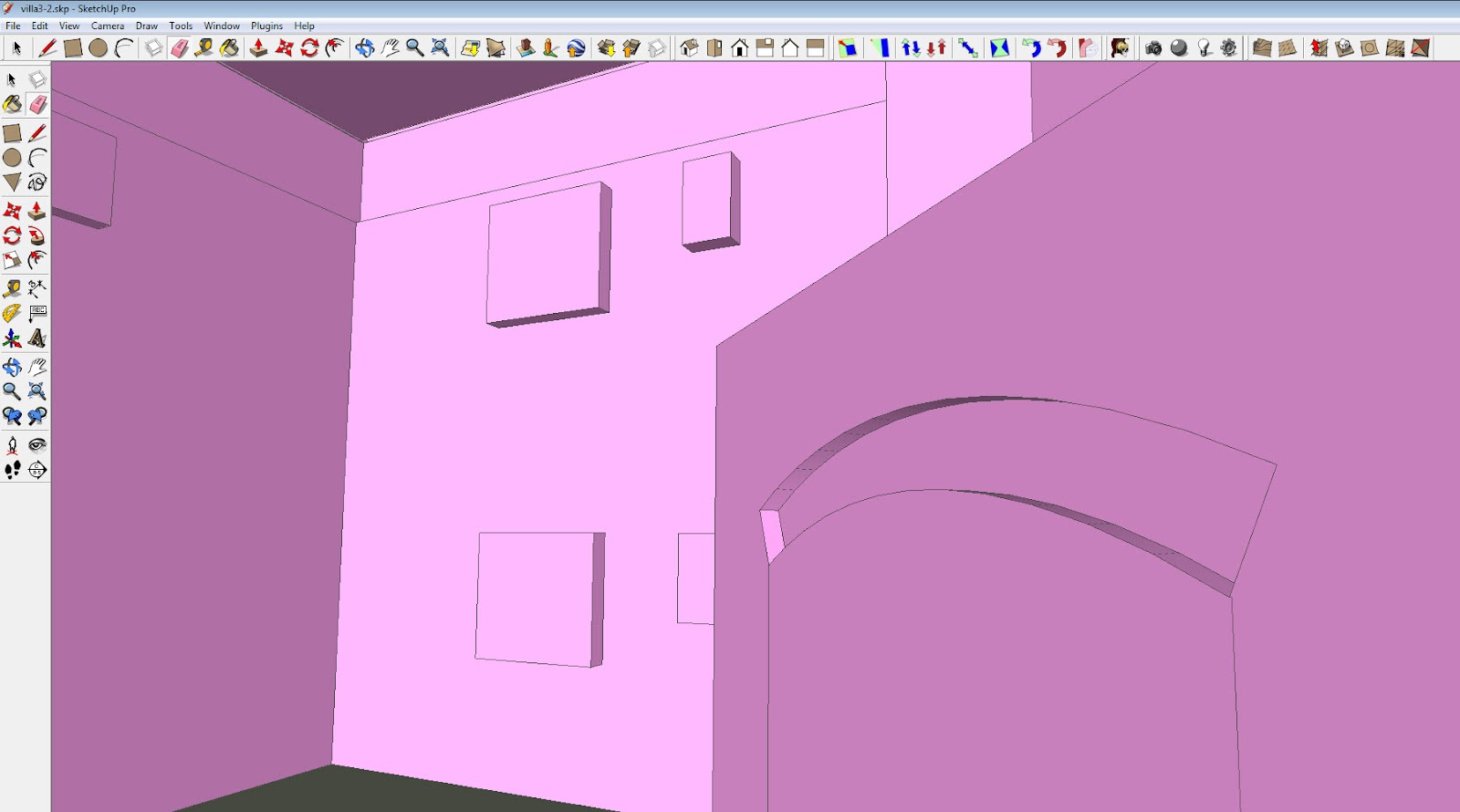
Lastly, the model's axis/origin is pretty far from the model's center. We always recommend having a geo-located model's origin be as close to the building model's center as possible, so that there are less problems processing the geometry in relation to its geo-location. Any possible problems with processing get exacerbated by having the building model far from the overall model's origin/axis.

Hope that helps!
Cheers,
- CraigD
Asdas
Jun 26, 2012, 2:57:19 PM6/26/12
to 3d...@googlegroups.com
Thanks a lot CraigD.
I really appreciate your help. I'll apply your comments and upload the model again.
Thanks again.
Reply all
Reply to author
Forward
0 new messages